Dragon STEM Games

Play / Dragon STEM Open Map

Game · Unity 6.3 · by Adisak Sukul

Dragon STEM Open Map

Fly a dragon over a world made of blocks. Dig, build and solve 38 STEM missions from the Dragonkeepers books.

It runs in your web browser, with nothing to install. The first start downloads about 12 MB. No timers, no scores, no ads.
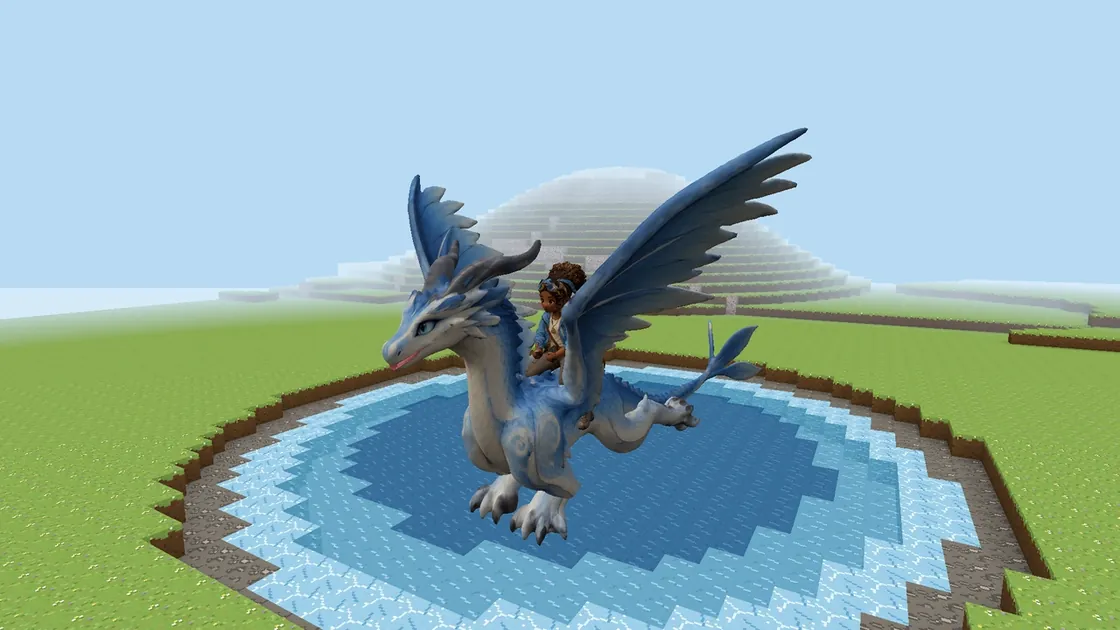
Zephyra the sky dragon flies over a round mountain lake with both wings raised. Skye sits on its back, wearing flying goggles.
Zephyra and Skye take off over a mountain lake.

What you do in the game

The Open Map is a big, calm world. You choose what to do next.

Explore

Walk, run and fly over 6 regions made of blocks. Visit a forge city, snowy peaks, a coral reef, a green forest, a crystal canyon and an island with a lighthouse. You can also explore a brand-new random map of any region.

Fly

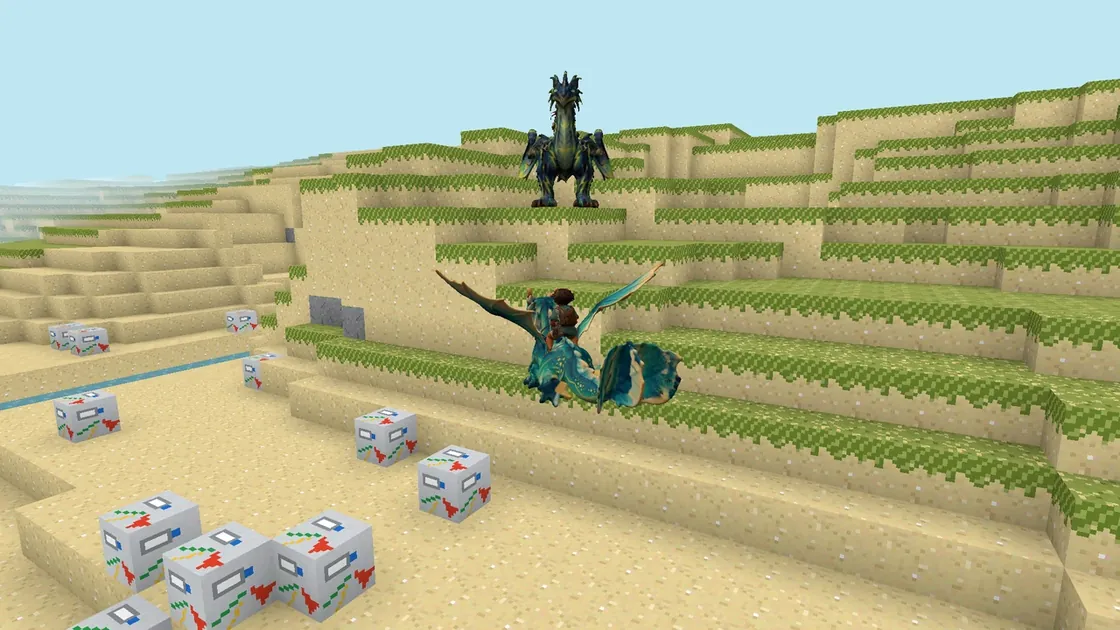
Press F to take off and glide over trees, cliffs and water. Press G (Sense) and an arrow points the way. In deep water your dragon swims, and Marina glides through it with her fin-wings.

Dig and build

Click to dig a block. Right-click to build one. Missions ask you to build real things. Some are braces for a tower and a mast to catch the wind. Others are a windbreak, a floating barrier and a strip of plants along a stream. Your builds on the main maps are saved with your game.

Solve STEM missions

Every mission comes from pages in the books. You read gauges, sort cards, test ideas and fix problems. Your rider gives hints, and a hint never gives the answer. A wrong answer gets a reason and another try. After three wrong tries on a number, your rider shows how to work it out. Then you type the answer.

Keep a Dragon Notebook

Every idea you learn becomes an idea card. Every finished mission adds a notebook page. Press N to open it.

Meet the characters

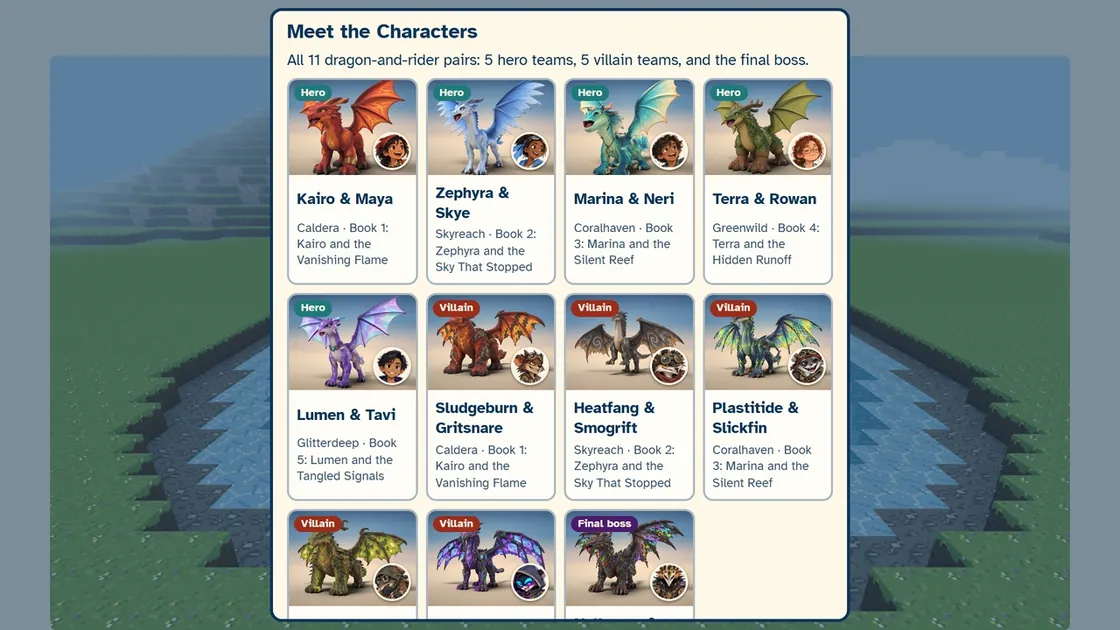
Open the Menu and choose Characters. You meet all 11 dragon-and-rider pairs: five hero teams, five villain teams and the final boss.

A friend to pet

A little friend, Squishy Dumpling, pops up next to your dragon. Press P to pet it. You can turn the friend off in the Menu, under Friends. Meet Squishy Dumpling.

Play your way

No timers. No scores, stars, streaks or rankings. Badges are never taken away, except when you choose New world, which asks first. Stop any time: the game saves itself.

Back to the list of sections

For parents and teachers

This information is taken straight from the game, so it matches what your child plays.

Safety and privacy

  • No ads. No chat. No accounts.
  • The game collects and sends nothing. Saves stay in your own browser.
  • The game loads nothing from other websites. This web page loads nothing from other websites either.
  • Activities that need care come with a grown-up note.
  • The Glitterdeep missions teach online safety: keep your address and passwords private, and check where a message came from.

A friend in the game, and how to turn it off

A little friend called Squishy Dumpling pops up next to your child's dragon. It is a small cartoon character in the game, not another player. It is only company, with no hints, no answers and nothing to win.

It is on when the game starts, and you can turn it off at any time. Open the Menu, choose Friends and press the On button. The button turns to Off, and the friend goes away.

The game remembers your choice in that browser, and each saved world keeps its own choice. A new browser or device starts with the friend on. So does a guest window, a private window or a browser that has cleared its data. The game collects and sends nothing.

On a shared Chromebook, turn it off each time, or use the link that ends in ?friends=off.

Get that link on the page for parents and teachers

What children learn

The missions are for grades 3 to 5. Each one is built from pages of Books 1 to 5. Beacon Isle follows the next book, which is not out yet. The game names the standards each mission practices, so you can see how it fits your lessons.

Standards named by the missions 45 standards

The main standard is the skill a mission mostly teaches. 'Connection' and 'also practiced' are ideas a mission touches. 45 standards are named in all.

Math (Common Core) 12 standards
3.NBT.A.2
Fluently add and subtract within 1000 using strategies and algorithms based on place value, properties of operations, and/or the relationship between addition and subtraction.Used in: The Forge Flame Fades (main); Pushes, Pulls, and the Glide Test (also practiced); Ready for the Wind (also practiced); Compare the Reef Zones (also practiced); Two Clues at the Wheel (also practiced)
3.OA.A.3
Use multiplication and division within 100 to solve word problems in situations involving equal groups, arrays, and measurement quantities.Used in: The Forge Flame Fades (main)
3.OA.A.1
Interpret products of whole numbers, e.g., interpret 5 × 7 as the total number of objects in 5 groups of 7 objects each. For example, describe a context in which a total number of objects can be expressed as 5 × 7.Used in: Filter Plates and Fair Shares (main)
3.OA.A.2
Interpret whole-number quotients of whole numbers, e.g., interpret 56 ÷ 8 as the number of objects in each share when 56 objects are partitioned equally into 8 shares, or as a number of shares when 56 objects are partitioned into equal shares of 8 objects each. For example, describe a context in which a number of shares or a number of groups can be expressed as 56 ÷ 8.Used in: Filter Plates and Fair Shares (main); Catch the Wind: Pick the Site (also practiced)
3.OA.C.7
Fluently multiply and divide within 100, using strategies such as the relationship between multiplication and division (e.g., knowing that 8 × 5 = 40, one knows 40 ÷ 5 = 8) or properties of operations. By the end of Grade 3, know from memory all products of two one-digit numbers.Used in: Filter Plates and Fair Shares (also practiced)
3.NF.A.1
Understand a fraction 1/b as the quantity formed by 1 part when a whole is partitioned into b equal parts; understand a fraction a/b as the quantity formed by a parts of size 1/b.Used in: Fractions of the Fuel Wheel (main)
3.NF.A.3b
Recognize and generate simple equivalent fractions, e.g., 1/2 = 2/4, 4/6 = 2/3. Explain why the fractions are equivalent, e.g., by using a visual fraction model.Used in: Fractions of the Fuel Wheel (main)
3.G.A.2
Partition shapes into parts with equal areas. Express the area of each part as a unit fraction of the whole. For example, partition a shape into 4 parts with equal area, and describe the area of each part as 1/4 of the area of the shape.Used in: Fractions of the Fuel Wheel (connection)
3.OA.D.9
Identify arithmetic patterns (including patterns in the addition table or multiplication table), and explain them using properties of operations.Used in: Sabotage at the Vent Tower (main)
3.MD.B.3
Draw a scaled picture graph and a scaled bar graph to represent a data set with several categories. Solve one- and two-step "how many more" and "how many less" problems using information presented in scaled bar graphs.Used in: Weather or Climate? (main); Follow the Floating Clues (connection); Test the Cleanup Tools (also practiced); Sabotage at the Tide Gate (connection); Count the Living Clues (also practiced); Build a Green Buffer (also practiced); Test the Signal Filter (also practiced); A Message You Can Trust (also practiced)
4.MD.C.5
Recognize angles as geometric shapes that are formed wherever two rays share a common endpoint, and understand concepts of angle measurement (an angle that turns through 1/360 of a circle is a one-degree angle).Used in: Sabotage at the Weather Tower (main)
4.MD.A.2
Use the four operations to solve word problems involving distances, intervals of time, liquid volumes, masses of objects, and money, including problems involving simple fractions or decimals, and problems that require expressing measurements given in a larger unit in terms of a smaller unit. Represent measurement quantities using diagrams such as number line diagrams that feature a measurement scale.Used in: Design a Kinder Tech Space (also practiced)
Math practices (Common Core) 1 standard
MP6
Attend to precision.Used in: The Forge Flame Fades (also practiced); A Strange Stillness (also practiced); Where Does Runoff Go? (also practiced); Dissolved, Cloudy, or Settled? (also practiced)
Science (NGSS performance expectations) 19 standards
3-5-ETS1-1
Define a simple design problem reflecting a need or a want that includes specified criteria for success and constraints on materials, time, or cost.Used in: The Forge Flame Fades (connection); Build a Better Filter (main); Engineer a Wind Meter (connection); Design a Kinder Tech Space (connection); Five Clues, One Island (connection); A Map of Connections (connection)
4-PS3-2
Make observations to provide evidence that energy can be transferred from place to place by sound, light, heat, and electric currents.Used in: A Shortcut in the Shadows (connection); Catch the Wind: Pick the Site (connection); A Map of Connections (connection); The Hidden Wedge (connection)
3-5-ETS1-3
Plan and carry out fair tests in which variables are controlled and failure points are considered to identify aspects of a model or prototype that can be improved.Used in: Build a Better Filter (main); Sabotage at the Vent Tower (in part); Engineer a Wind Meter (main); Test the Cleanup Tools (connection); Build a Green Buffer (main); Test the Signal Filter (main); The Hidden Wedge (main); The Dragonkeepers Unite (main)
3-5-ETS1-2
Generate and compare multiple possible solutions to a problem based on how well each is likely to meet the criteria and constraints of the problem.Used in: Build a Better Filter (main); Catch the Wind: Pick the Site (main); Engineer a Wind Meter (main); Ready for the Wind (connection); Test the Cleanup Tools (main); Build a Green Buffer (main); Design a Kinder Tech Space (main); A Message You Can Trust (connection)
3-ESS2-1
Represent data in tables and graphical displays to describe typical weather conditions expected during a particular season.Used in: A Strange Stillness (main, in part); Weather or Climate? (main, in part); Sabotage at the Weather Tower (main, in part)
3-PS2-1
Plan and conduct an investigation to provide evidence of the effects of balanced and unbalanced forces on the motion of an object.Used in: Pushes, Pulls, and the Glide Test (main, in part)
3-PS2-2
Make observations and/or measurements of an object's motion to provide evidence that a pattern can be used to predict future motion.Used in: Pushes, Pulls, and the Glide Test (connection)
3-ESS2-2
Obtain and combine information to describe climates in different regions of the world.Used in: Weather or Climate? (connection)
4-ESS3-1
Obtain and combine information to describe that energy and fuels are derived from natural resources and their uses affect the environment.Used in: Catch the Wind: Pick the Site (main)
3-ESS3-1
Make a claim about the merit of a design solution that reduces the impacts of a weather-related hazard.Used in: Ready for the Wind (main)
3-LS4-3
Construct an argument with evidence that in a particular habitat some organisms can survive well, some survive less well, and some cannot survive at all.Used in: Compare the Reef Zones (main, in part); Sort the Sea Life (connection); Who Eats What in the Reef (connection); Count the Living Clues (main); The Thorny Vines (connection)
3-LS4-4
Make a claim about the merit of a solution to a problem caused when the environment changes and the types of plants and animals that live there may change.Used in: Compare the Reef Zones (connection); Test the Cleanup Tools (main, in part); Sabotage at the Tide Gate (main, in part); The Thorny Vines (main); Two Clues at the Wheel (main)
4-LS1-1
Construct an argument that plants and animals have internal and external structures that function to support survival, growth, behavior, and reproduction.Used in: Sort the Sea Life (connection); Four Curiosity Sparks (connection); The Thorny Vines (connection)
5-LS2-1
Develop a model to describe the movement of matter among plants, animals, decomposers, and the environment.Used in: Who Eats What in the Reef (main, in part); Four Curiosity Sparks (connection); Sabotage at the Marsh Bridge (connection)
5-PS1-3
Make observations and measurements to identify materials based on their properties.Used in: Follow the Floating Clues (main); Dissolved, Cloudy, or Settled? (main)
5-ESS3-1
Obtain and combine information about ways individual communities use science ideas to protect the Earth's resources and environment.Used in: Follow the Floating Clues (connection); Sabotage at the Tide Gate (main, in part); Where Does Runoff Go? (connection); Count the Living Clues (connection); Sabotage at the Marsh Bridge (main, in part); The Dragonkeepers Unite (connection)
4-ESS2-1
Make observations and/or measurements to provide evidence of the effects of weathering or the rate of erosion by water, ice, wind, or vegetation.Used in: Four Curiosity Sparks (main); Where Does Runoff Go? (main); Build a Green Buffer (connection)
5-ESS2-1
Develop a model using an example to describe ways the geosphere, biosphere, hydrosphere, and/or atmosphere interact.Used in: Four Curiosity Sparks (connection)
5-PS1-1
Develop a model to describe that matter is made of particles too small to be seen.Used in: Dissolved, Cloudy, or Settled? (main); Sabotage at the Marsh Bridge (connection)
NGSS crosscutting concepts and science practices 4 standards
CCC-CE
NGSS crosscutting concept, grades 3-5: cause and effect relationships are routinely identified, tested, and used to explain change.Used in: A Shortcut in the Shadows (main); Five Clues, One Island (main); Two Clues at the Wheel (main)
CCC-SYS
NGSS crosscutting concept, grades 3-5: a system is a group of related parts that make up a whole and can carry out functions its individual parts cannot.Used in: A Shortcut in the Shadows (main); Who Eats What in the Reef (connection); A Map of Connections (main); The Dragonkeepers Unite (main)
CCC-PAT
NGSS crosscutting concept, Patterns, grades 3-5: Similarities and differences in patterns can be used to sort, classify, communicate and analyze simple rates of change for natural phenomena and designed products.Used in: Sort the Sea Life (main)
SEP-ARG
NGSS science and engineering practice 7 (Engaging in argument from evidence), grades 3-5: Distinguish among facts, reasoned judgment based on research findings, and speculation in an explanation.Used in: Sort the Sticky Notes (main)
Computer science (CSTA) 7 standards
CSTA 1B-AP-15
Test and debug (identify and fix errors) a program or algorithm to ensure it runs as intended.Used in: Debug the Tangled Signal (main); The Hidden Node (connection)
CSTA 1B-CS-03
Determine potential solutions to solve simple hardware and software problems using common troubleshooting strategies.Used in: Debug the Tangled Signal (main)
CSTA 1B-CS-02
Model how computer hardware and software work together as a system to accomplish tasks.Used in: Debug the Tangled Signal (in part)
CSTA 1B-NI-05
Discuss real-world cybersecurity problems and how personal information can be protected.Used in: Check a Suspicious Message (main)
CSTA 1B-DA-07
Use data to highlight or propose cause-and-effect relationships, predict outcomes, or communicate an idea.Used in: Test the Signal Filter (main); The Hidden Node (main); A Message You Can Trust (main)
CSTA 1B-NI-04
Model how information is broken down into smaller pieces, transmitted as packets through multiple devices over networks and the Internet, and reassembled at the destination.Used in: The Hidden Node (in part)
CSTA 1B-AP-08
Compare and refine multiple algorithms for the same task and determine which is the most appropriate.Used in: A Message You Can Trust (main)
Technology (ISTE) 2 standards
ISTE-S 3b
Students evaluate the accuracy, perspective, credibility and relevance of information, media, data or other resources.Used in: Sabotage at the Weather Tower (connection); Sort the Sticky Notes (main); Check a Suspicious Message (main); The Hidden Node (connection)
ISTE-S 2b
Students engage in positive, safe, legal and ethical behavior when using technology, including social interactions online or when using networked devices.Used in: Design a Kinder Tech Space (connection)

Standards by mission

Caldera 6 missions
MissionMain standardsOther standards
The Forge Flame Fades3.NBT.A.2, 3.OA.A.33-5-ETS1-1, MP6
Filter Plates and Fair Shares3.OA.A.1, 3.OA.A.23.OA.C.7
Fractions of the Fuel Wheel3.NF.A.1, 3.NF.A.3b3.G.A.2
A Shortcut in the ShadowsCCC-CE, CCC-SYS4-PS3-2
Build a Better Filter3-5-ETS1-1, 3-5-ETS1-3, 3-5-ETS1-2–
Sabotage at the Vent Tower3.OA.D.93-5-ETS1-3
Skyreach 7 missions
MissionMain standardsOther standards
A Strange Stillness3-ESS2-1MP6
Pushes, Pulls, and the Glide Test3-PS2-13-PS2-2, 3.NBT.A.2
Weather or Climate?3.MD.B.3, 3-ESS2-13-ESS2-2
Catch the Wind: Pick the Site4-ESS3-1, 3-5-ETS1-24-PS3-2, 3.OA.A.2
Engineer a Wind Meter3-5-ETS1-3, 3-5-ETS1-23-5-ETS1-1
Ready for the Wind3-ESS3-13-5-ETS1-2, 3.NBT.A.2
Sabotage at the Weather Tower3-ESS2-1, 4.MD.C.5ISTE-S 3b
Coralhaven 6 missions
MissionMain standardsOther standards
Compare the Reef Zones3-LS4-33.NBT.A.2, 3-LS4-4
Sort the Sea LifeCCC-PAT4-LS1-1, 3-LS4-3
Who Eats What in the Reef5-LS2-1CCC-SYS, 3-LS4-3
Follow the Floating Clues5-PS1-33.MD.B.3, 5-ESS3-1
Test the Cleanup Tools3-5-ETS1-2, 3-LS4-43.MD.B.3, 3-5-ETS1-3
Sabotage at the Tide Gate5-ESS3-1, 3-LS4-43.MD.B.3
The Greenwild 7 missions
MissionMain standardsOther standards
Four Curiosity Sparks4-ESS2-15-ESS2-1, 5-LS2-1, 4-LS1-1
Where Does Runoff Go?4-ESS2-15-ESS3-1, MP6
Count the Living Clues3-LS4-33.MD.B.3, 5-ESS3-1
Dissolved, Cloudy, or Settled?5-PS1-1, 5-PS1-3MP6
Build a Green Buffer3-5-ETS1-3, 3-5-ETS1-23.MD.B.3, 4-ESS2-1
The Thorny Vines3-LS4-43-LS4-3, 4-LS1-1
Sabotage at the Marsh Bridge5-ESS3-15-PS1-1, 5-LS2-1
Glitterdeep 6 missions
MissionMain standardsOther standards
Debug the Tangled SignalCSTA 1B-AP-15, CSTA 1B-CS-03CSTA 1B-CS-02
Sort the Sticky NotesSEP-ARG, ISTE-S 3b–
Check a Suspicious MessageISTE-S 3b, CSTA 1B-NI-05–
Test the Signal FilterCSTA 1B-DA-07, 3-5-ETS1-33.MD.B.3
Design a Kinder Tech Space3-5-ETS1-23-5-ETS1-1, ISTE-S 2b, 4.MD.A.2
The Hidden NodeCSTA 1B-DA-07CSTA 1B-NI-04, ISTE-S 3b, CSTA 1B-AP-15
Beacon Isle 6 missions
MissionMain standardsOther standards
Five Clues, One IslandCCC-CE3-5-ETS1-1
A Map of ConnectionsCCC-SYS4-PS3-2, 3-5-ETS1-1
Two Clues at the WheelCCC-CE, 3-LS4-43.NBT.A.2
The Hidden Wedge3-5-ETS1-34-PS3-2
A Message You Can TrustCSTA 1B-AP-08, CSTA 1B-DA-073-5-ETS1-2, 3.MD.B.3
The Dragonkeepers Unite3-5-ETS1-3, CCC-SYS5-ESS3-1

How a mission works

  1. A hook from the book. Your rider sets the scene, with words and pictures from the story.
  2. Explore and measure. You fly to a place, read a gauge, take a sample or sort what you find.
  3. Explain. You pick a claim, type a number or sort cards. The rider's hints never give the answer. A wrong answer gets a reason and another try.
  4. Apply the idea. You use it again on a new problem. 10 missions also ask you to build something.
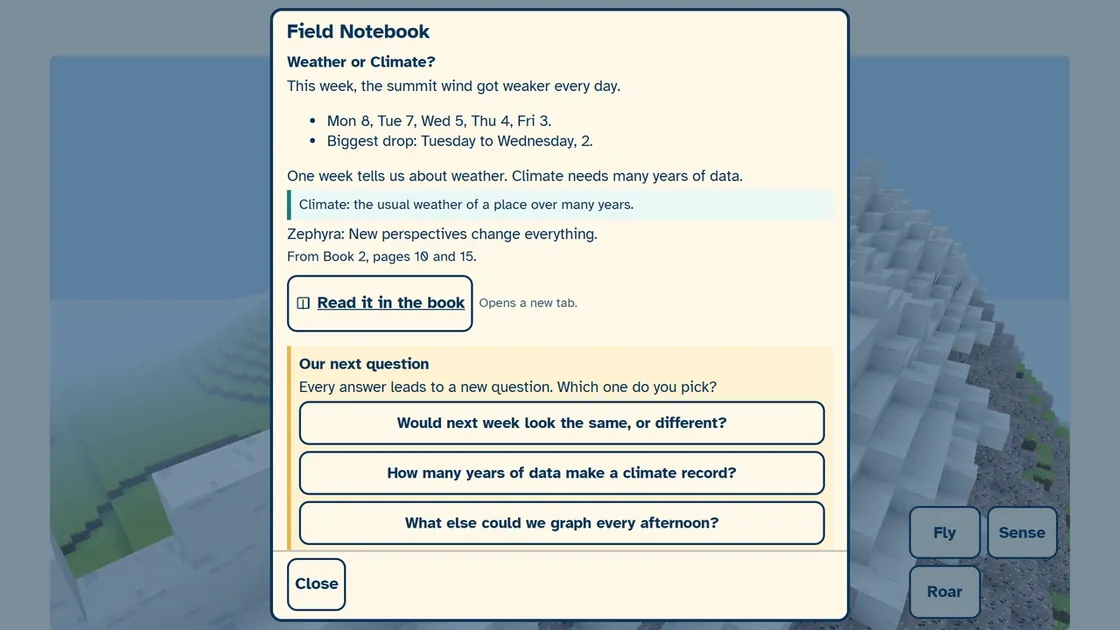
  5. Reflect. A Field Notebook page records what you first thought, the evidence you found and a next question.

Reading level and access

  • Sentences are 14 words or fewer, with grade-3 words, US spelling and digits for numbers.
  • The text uses Atkinson Hyperlegible, a typeface made to be easy to read.
  • Buttons are at least 44 pixels big. Nothing is timed: cards and conversations wait until you close them.
  • You can play with a keyboard, and the game announces its messages for screen readers.

Try it at home

Every idea card has a safe activity to try away from the screen. Here are six. A card with a grown-up note needs a grown-up to help.
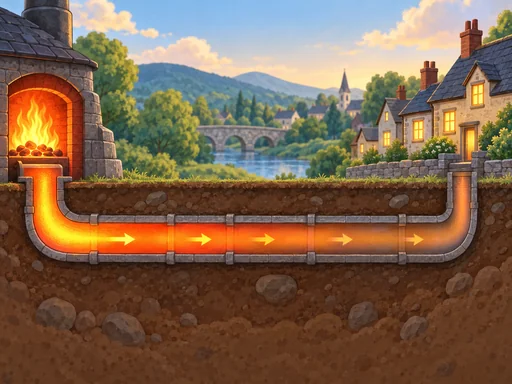
A cutaway of a pipe carrying orange heat-glow from a forge toward a row of homes.
Caldera

Heat moves along

You need: 2 cups, warm tap water, a towel.
  1. Fill 2 cups with warm tap water.
  2. Wrap 1 cup in a towel. Leave the other uncovered.
  3. After 10 minutes, unwrap the towel. Dip a finger in each cup. Which water is warmer?
Grown-up noteAsk a grown-up first. Use warm water, never hot.

Read it in the book

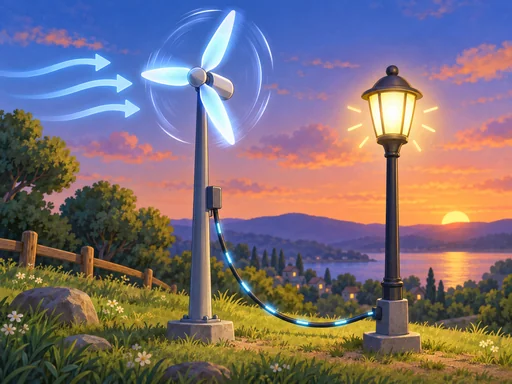
A small signal turbine with glowing blades beside a lamp, wires running down to the light.
Skyreach

Energy from the wind

You need: a toy pinwheel, a fan, or your own breath.
  1. Use a toy pinwheel.
  2. Hold it in front of a fan, or blow on it gently.
  3. Try a stronger and a gentler wind. Watch it turn.
Grown-up noteAsk a grown-up first. Keep fingers away from a fan.

Read it in the book

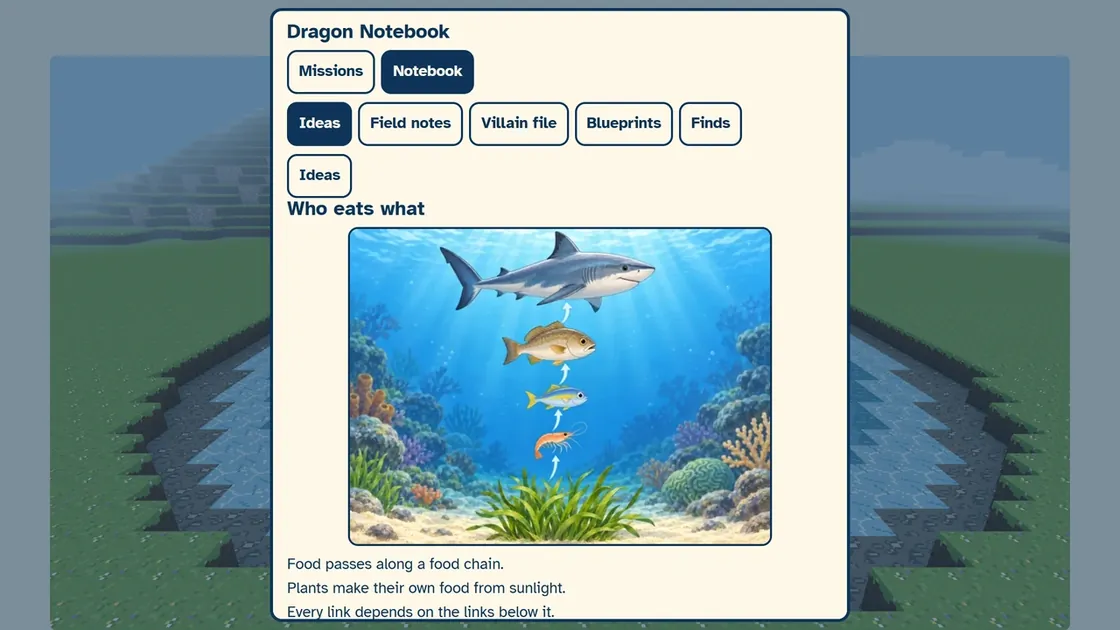
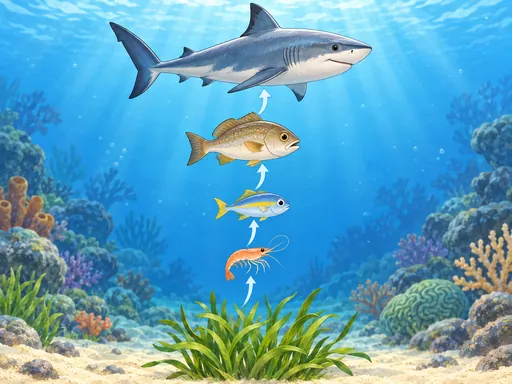
A vertical chain of 5 reef creatures stacked from seagrass up to a reef shark, thin arrows linking each pair.
Coralhaven

Who eats what

You need: paper, crayons.

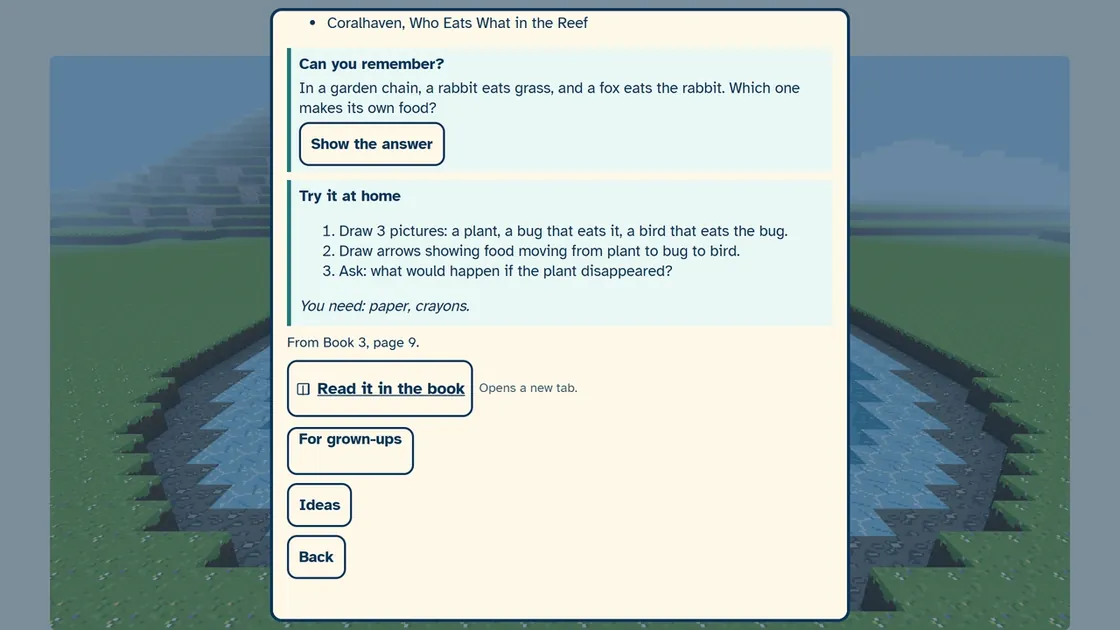
  1. Draw 3 pictures: a plant, a bug that eats it, a bird that eats the bug.
  2. Draw arrows showing food moving from plant to bug to bird.
  3. Ask: what would happen if the plant disappeared?

Read it in the book

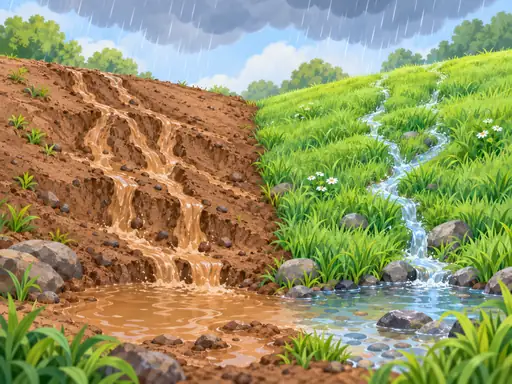
A bare muddy slope beside a grassy slope after the same rain, brown water trailing from the bare one.
The Greenwild

Water moves soil

You need: 2 cups, dry soil, small stones or grass clumps, water.
  1. Fill 2 cups with the same amount of dry soil.
  2. Push a few small stones or grass clumps into only 1 cup.
  3. Tip both cups the same amount and pour a little water on top.
  4. Which cup loses less soil?
Grown-up noteAsk a grown-up first. Do this outside or over a tray.

Read it in the book

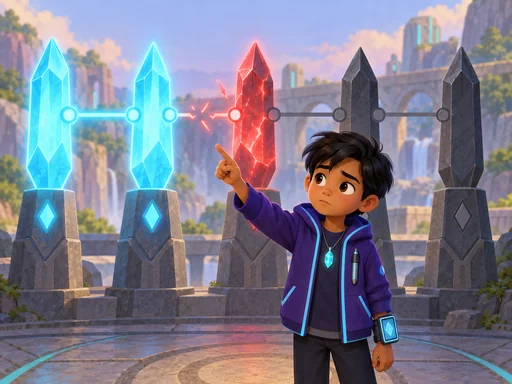
A path of 5 crystal spires; the first 2 glow cyan, the 3rd flickers red; Tavi points at the link between 2 and 3.
Glitterdeep

Debug one part at a time

You need: paper, 2 pencils, a helper.
  1. Write 5 steps for drawing a simple house.
  2. Ask someone to follow them exactly, without peeking at your drawing.
  3. Find the first step that did not work. Fix it and test again.

Read it in the book

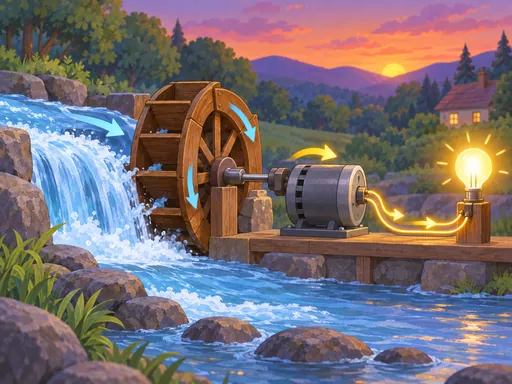
A simple river-to-lamp diagram: water wheel, generator, wires and a glowing lamp in a row.
Beacon Isle

Follow the energy

You need: a lamp, fan or other switched device.

  1. Find something at home with an on and off switch.
  2. Turn it on, then off. Watch what changes.
  3. Guess what part the switch controls in its path.
  4. Ask a grown-up if your guess is right.
Grown-up noteAsk a grown-up first. Do not open the device or touch plugs.

Read it in the book

32 missions link to a page that shows only the book pages they use (101 book pages in all). Each page also has the big idea in plain words, an activity to try at home and a memory question. A closed 'For grown-ups' box holds the learning goal and the standards. Beacon Isle missions have no book link yet.

Back to the list of sections

Six regions to explore

The first five regions match Books 1 to 5. Each has its own hero dragon, its rider and its own STEM ideas. Beacon Isle is the sixth, and it comes next in the story. Every map is open from the start, so you can go anywhere. The story goes best in book order, and Beacon Isle is best after the first five badges.
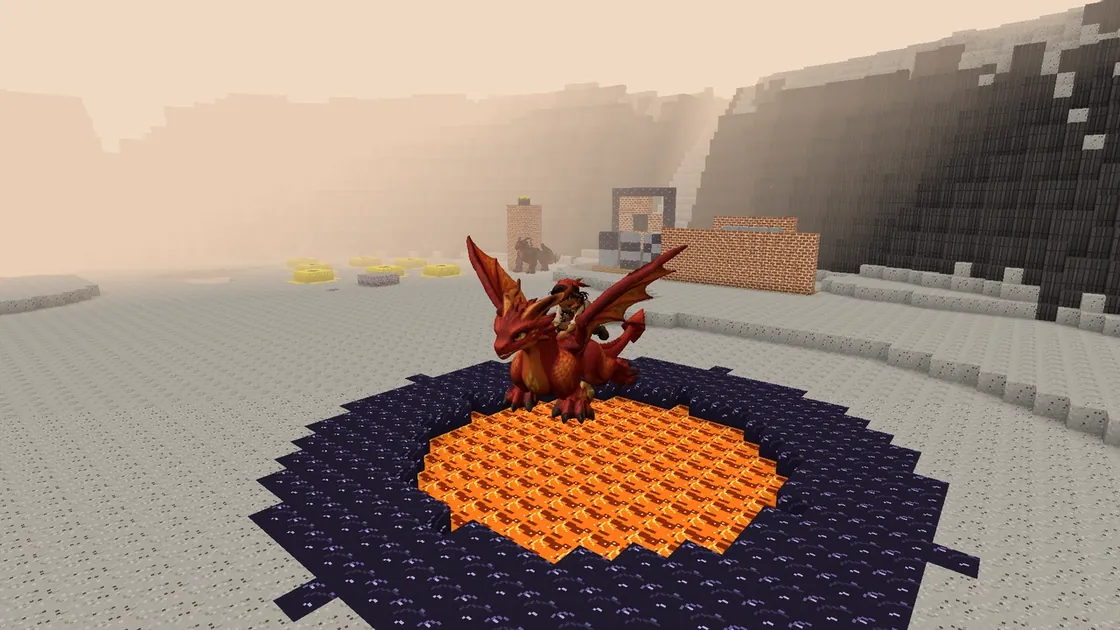
Kairo, a red fire dragon, and rider Maya hover over a round pool of glowing orange lava inside a wide, hazy crater. A brick forge stands in the distance.
The Caldera: Kairo and Maya above the magma pool.

Caldera The Forge City Book 1: Kairo and the Vanishing Flame

A volcano bowl with black basalt, gray ash, a magma pool you can only look at, and an old forge.
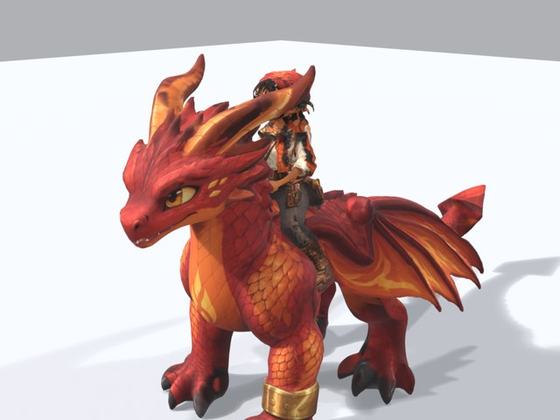
Kairo, the fire dragon (Emberhorn), with rider Maya.

STEM focus
Mathematics + Engineering
Badge
Measure First
Trouble-makers
Sludgeburn and Gritsnare
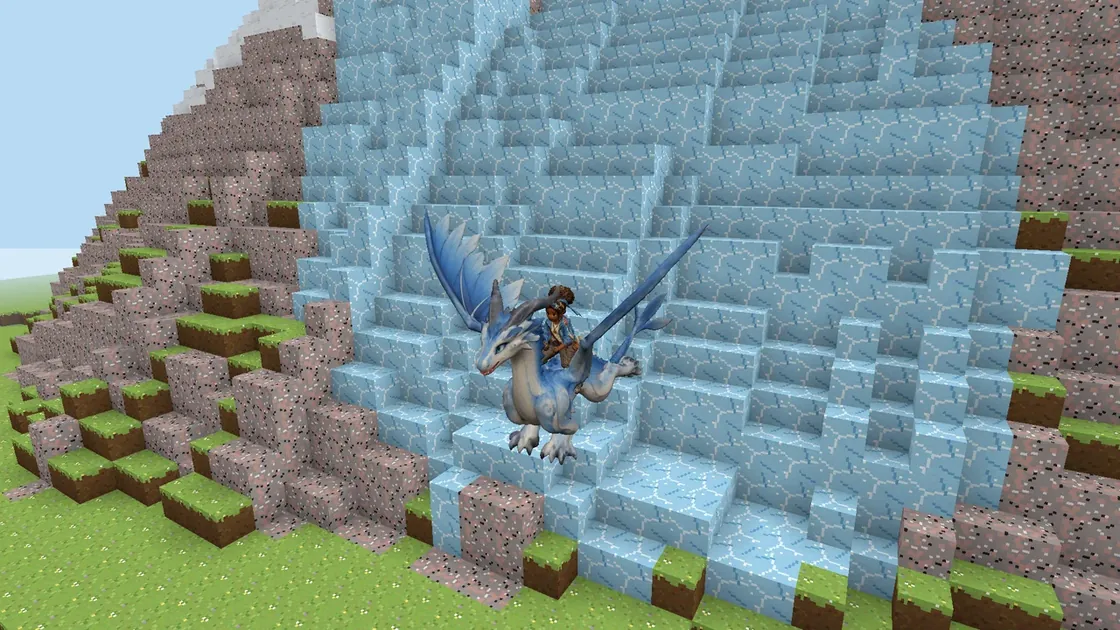
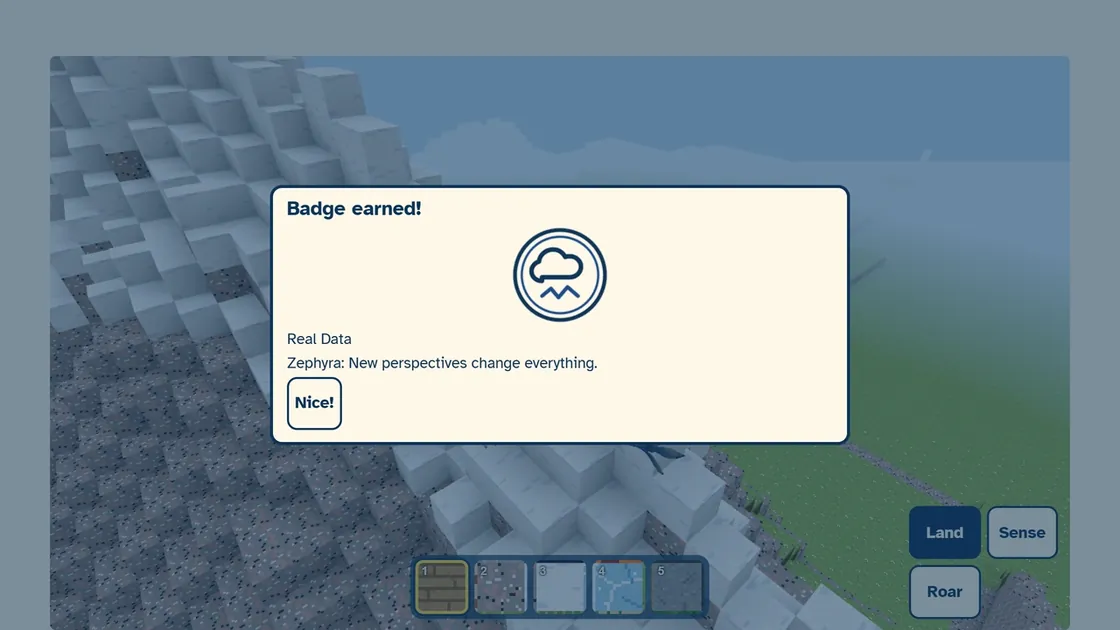
Zephyra, a pale blue sky dragon, and rider Skye fly in front of a steep wall of light blue ice blocks on a rocky mountain.
Skyreach: Zephyra and Skye at the ice field.

Skyreach The Sky City Book 2: Zephyra and the Sky That Stopped

Snowy granite peaks, a windy gap between the ridges, and weather stations to visit.
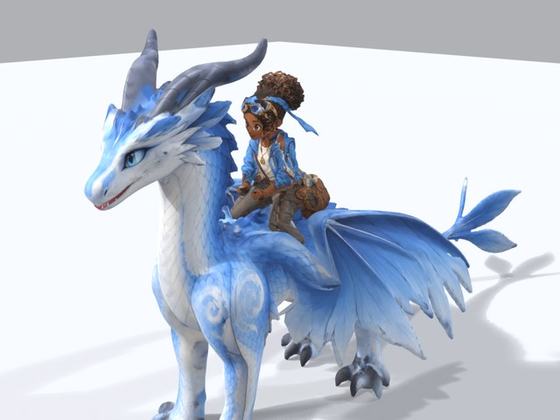
Zephyra, the sky and weather dragon (Galecrest), with rider Skye.

STEM focus
Physics + Earth/Space
Badge
Real Data
Trouble-makers
Heatfang and Smogrift
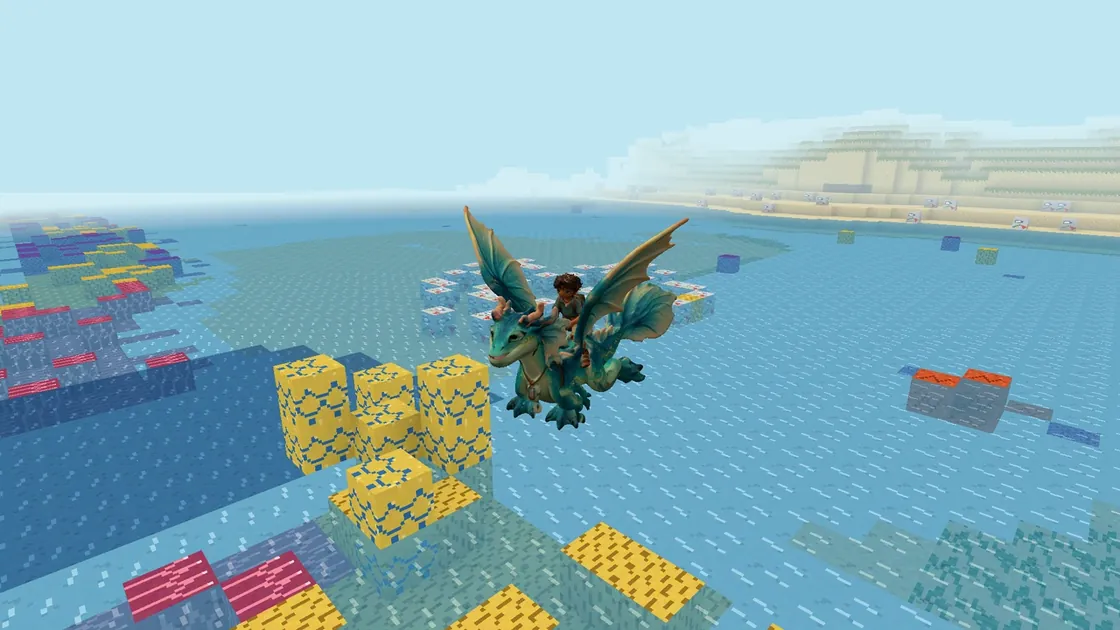
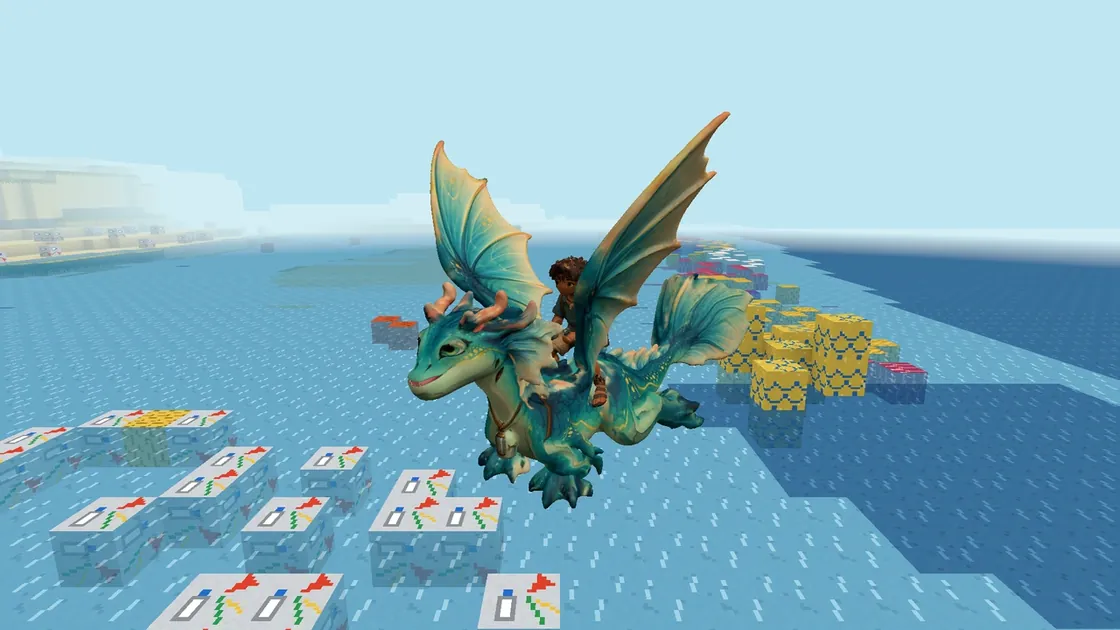
Marina, a teal sea dragon, and rider Neri fly over shallow blue water. Yellow and pink coral blocks sit under the water, and a sandy beach lies far away.
Coralhaven: Marina and Neri fly over the reef.

Coralhaven Where the Reef Sings Book 3: Marina and the Silent Reef

A beach, a coral reef and deep water to swim in.
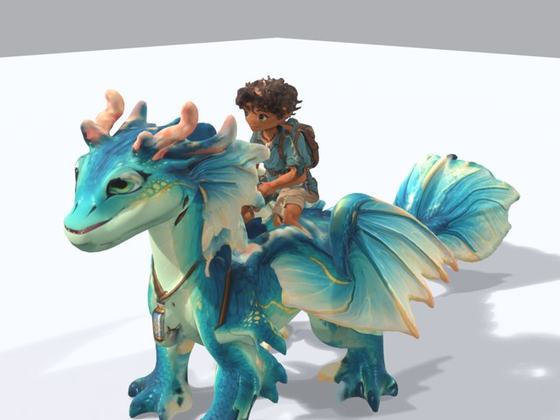
Marina, the water and reef dragon (Reefglider), with rider Neri.

STEM focus
Biology + Ecology
Badge
Clean Currents
Trouble-makers
Plastitide and Slickfin
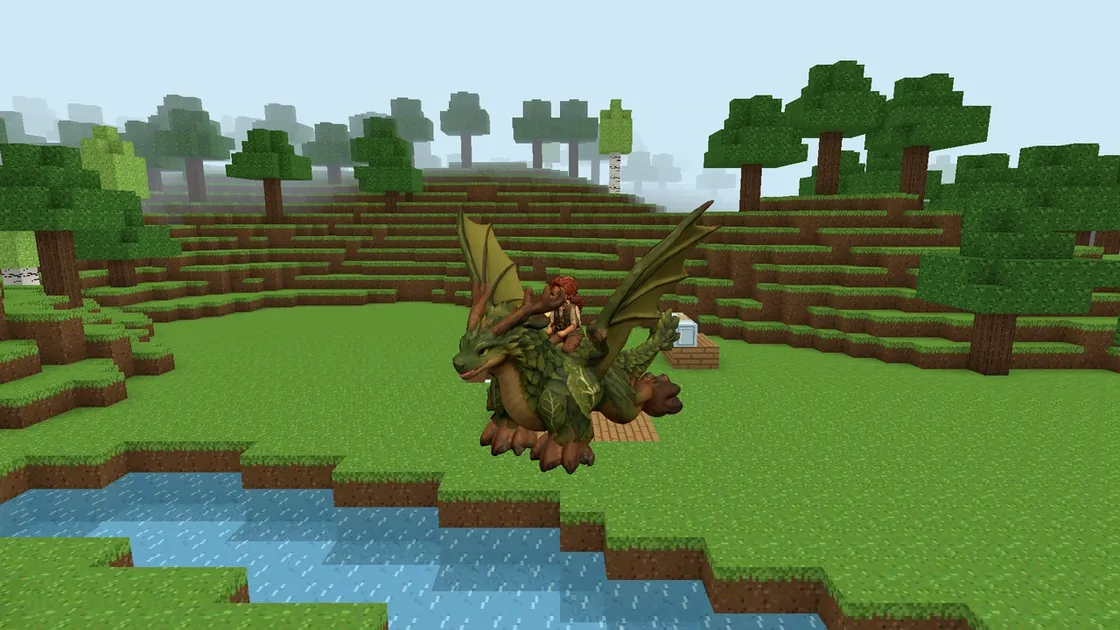
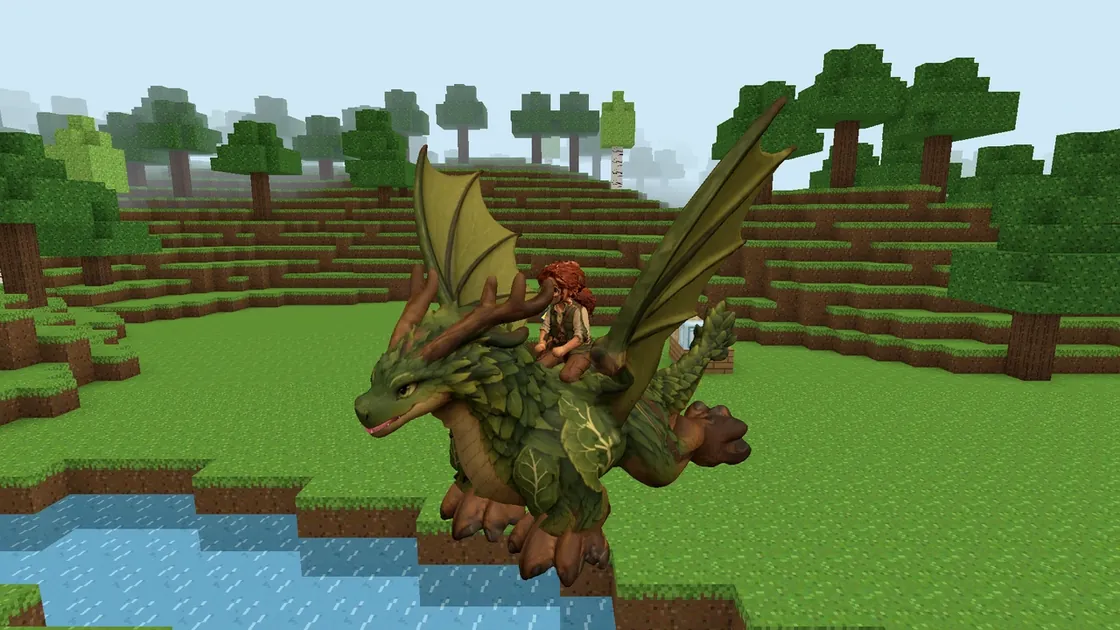
Terra, a green forest dragon, flies low over a blocky meadow with Rowan on its back. A stream curves past, and square trees and terraced hills fill the background.
The Greenwild: Terra and Rowan fly over the stream near the sampling station.

The Greenwild The Living Forest Book 4: Terra and the Hidden Runoff

A living forest with a stream, meadows, jars to sample and a marsh bridge.
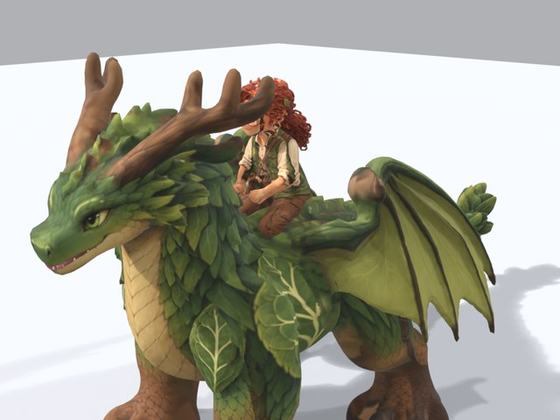
Terra, the forest and earth dragon (Verdant), with rider Rowan.

STEM focus
Chemistry + Environment
Badge
Clear Stream
Trouble-makers
Toxibloom and Muckmire
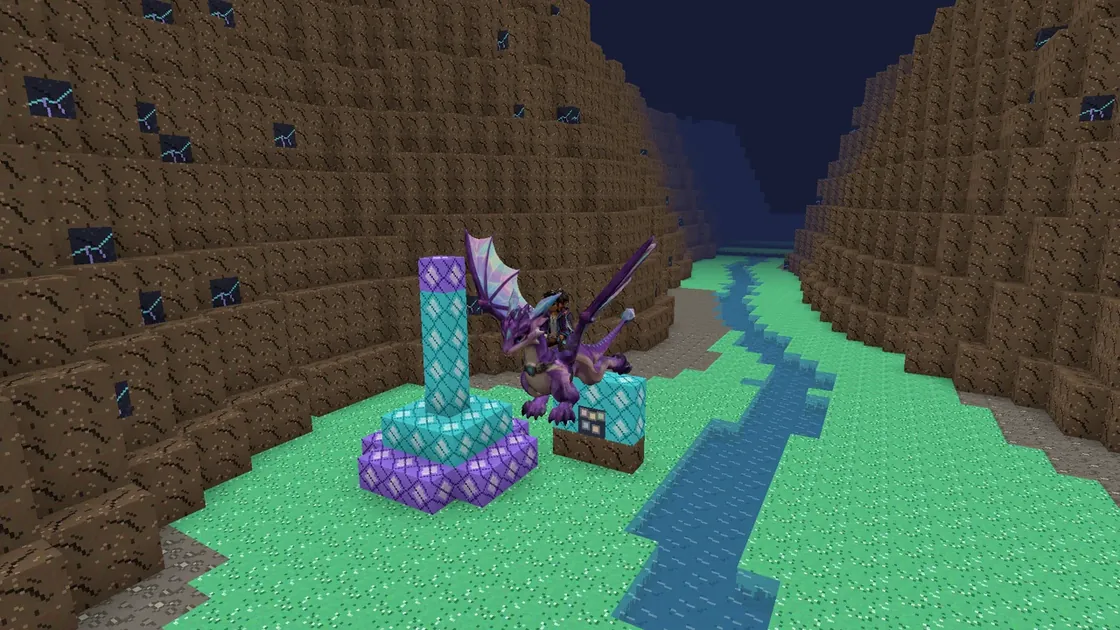
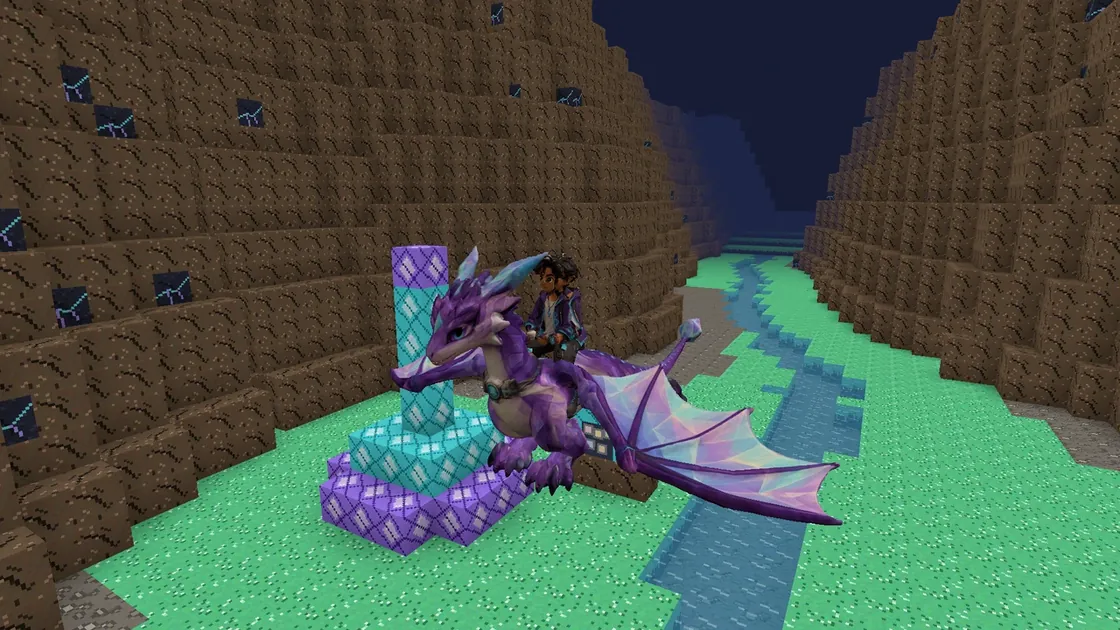
Lumen, a purple crystal dragon, and rider Tavi fly beside a glowing crystal tower in a dark canyon. A blue stream winds across a bright green floor.
Glitterdeep: Lumen and Tavi by a crystal spire.

Glitterdeep City of Knowledge Book 5: Lumen and the Tangled Signals

Glowing crystal spires and a canyon: the City of Knowledge.
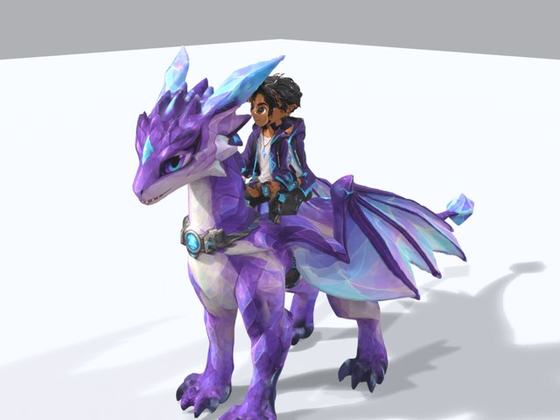
Lumen, the crystal and data dragon (Prism), with rider Tavi.

STEM focus
Computing + Data + Technology
Badge
Source Checker
Trouble-makers
Glarebyte and Scrollshade
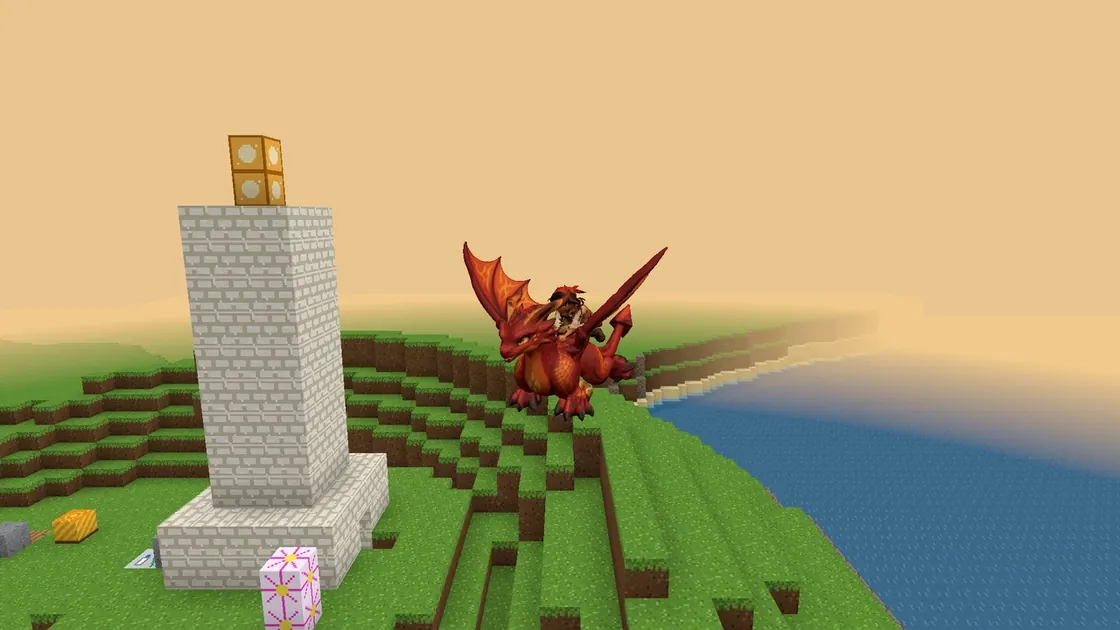
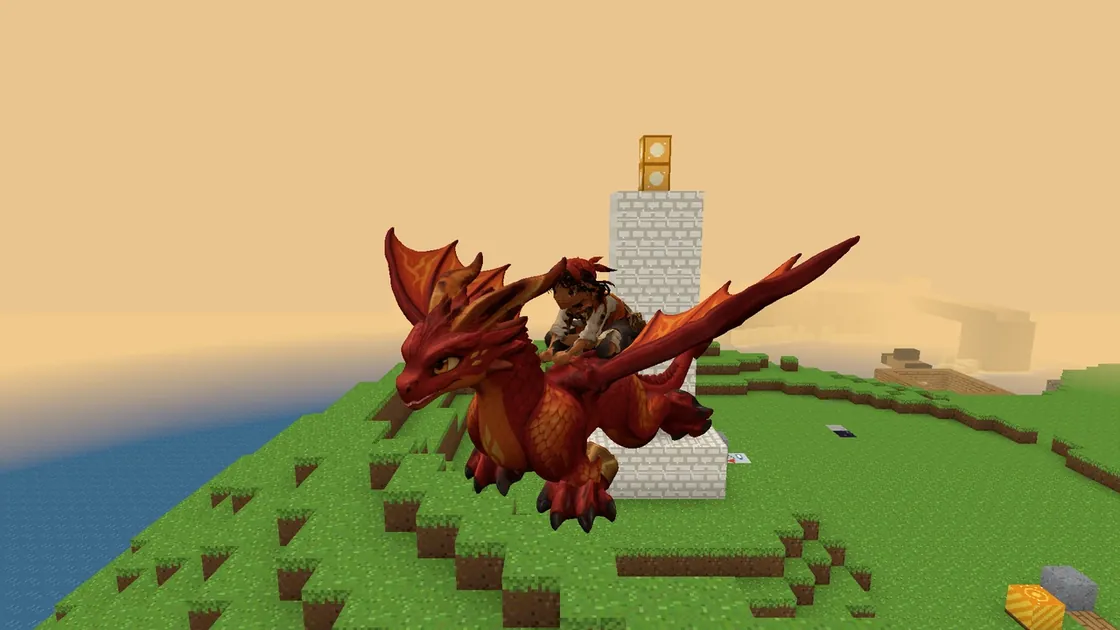
Kairo and Maya fly beside the tall stone lighthouse on Beacon Isle. A golden lamp block sits on top, and the sea reaches out under a warm, glowing sky.
Beacon Isle: the new map, with its lighthouse. Kairo and Maya fly past.

Beacon Isle The River Crossing Book 6, The Dragonkeepers Unite (not out yet)

A river island with a lighthouse and a waterwheel. All five hero teams work together here.

All five hero dragons and their riders. Kairo and Maya lead, and you choose which hero flies each mission.

STEM focus
Systems and teamwork
Badge
Five Partners
Trouble-makers
Nullwyrm and The Dull King

Back to the list of sections

All 38 missions

Every mission has a goal line, glowing markers to fly to, and a rider who helps. Most take about 5 to 10 minutes. Pick any mission from the Missions list (press J). 17 missions are new in the October 2026 update.
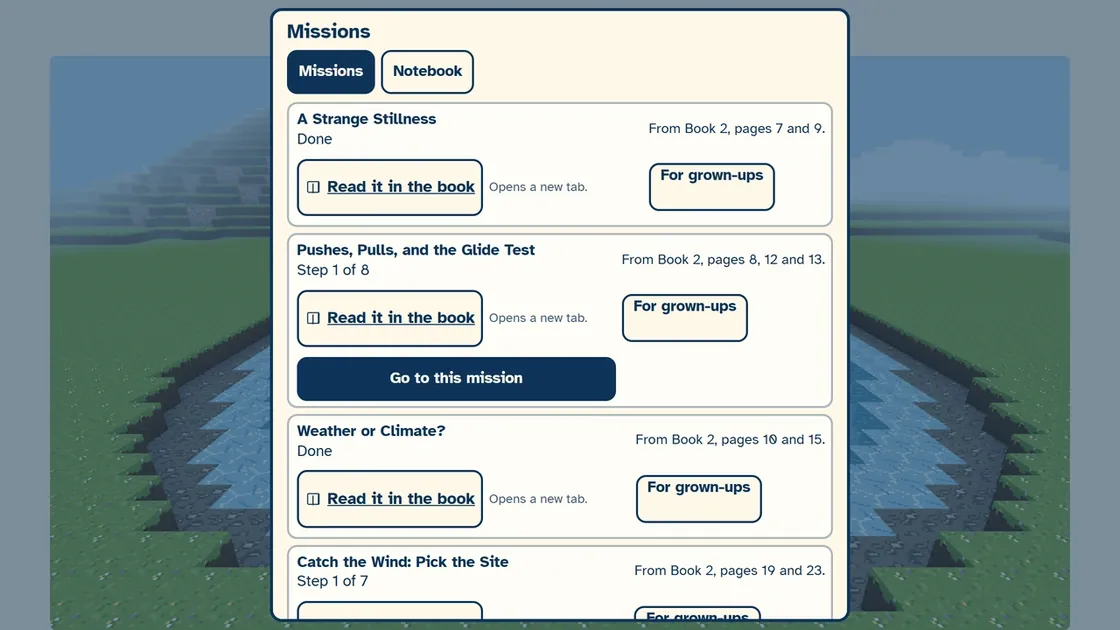
The Missions list for Skyreach. Each mission shows its status, the book pages it comes from, a Read it in the book button, and a For grown-ups button.
The Missions list shows where each mission comes from in the books. Every mission from Books 1 to 5 has a Read it in the book button.

Inside one mission: The Forge Flame Fades

These are the steps of one mission, straight from the game. It takes about 7 minutes, and the game keeps your place if you stop.

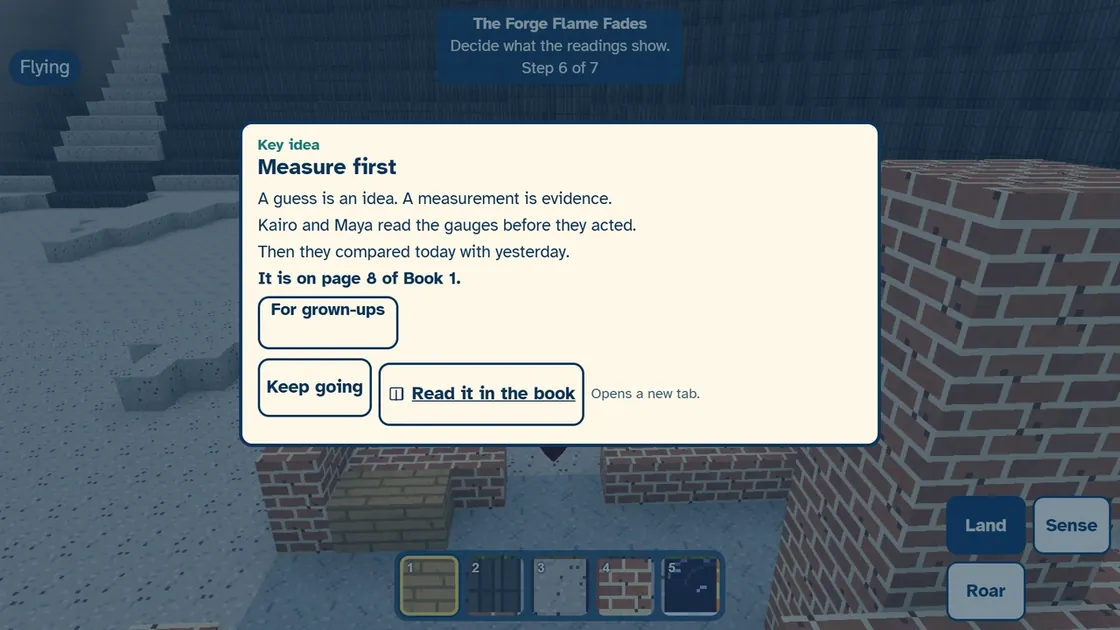
  1. StoryYour rider and your dragon set the scene.
  2. FlyFly to the Great Forge.
  3. MeasureRead the 4 gauges.
  4. ThinkWork out the flame's change.
  5. ThinkWork out the wheel's turns.
  6. ThinkDecide what the readings show.
  7. NotebookFill in your Field Notebook page, and pick a question to keep wondering about.

A book link opens a page with only the book pages that mission uses. The rest of each book stays in print.

Caldera 6 missions, 2 new

MissionThe STEM ideaIn the book
The Forge Flame FadesGrade 3 · about 7 min

I can read four gauges, find how much a reading changed, and use the changes to decide what to check next.

  • Measure first
  • Find the change
  • Equal groups
Read it in the bookBook 1, pages 3, 7–10
Filter Plates and Fair SharesNew in the October 2026 updateGrade 3 · about 8 min

I can multiply to count equal groups and divide to share things fairly.

  • Equal groups
  • Share it fairly
Read it in the bookBook 1, pages 11, 12
Fractions of the Fuel WheelNew in the October 2026 updateGrade 3 · about 8 min

I can name a fraction of a whole and show that 1/2, 2/4 and 4/8 are the same amount.

  • Parts of a whole
  • Same amount, new name
Read it in the bookBook 1, pages 13, 14
A Shortcut in the ShadowsGrades 3–4 · about 8 min

I can find what caused a problem and put its effects in order, from cause to effect.

  • One cause, many effects
  • Heat moves along
  • Fix the cause
Read it in the bookBook 1, pages 16–19
Build a Better FilterGrades 3–5 · about 7 min

I can sort criteria from constraints, plan a fair test, and pick the design that meets all the criteria.

  • Goals and limits
  • A fair test
  • Best is not just biggest
Read it in the bookBook 1, pages 20–24
Sabotage at the Vent TowerGrades 3–4 · about 7 min

I can find a pattern in a table (steps x push = 12) and use before and after numbers to decide if a repair worked.

  • Patterns in a table
  • Levers
  • Check the fix
Read it in the bookBook 1, pages 25–29

Skyreach 7 missions, 3 new

MissionThe STEM ideaIn the book
A Strange StillnessGrade 3 · about 5 min

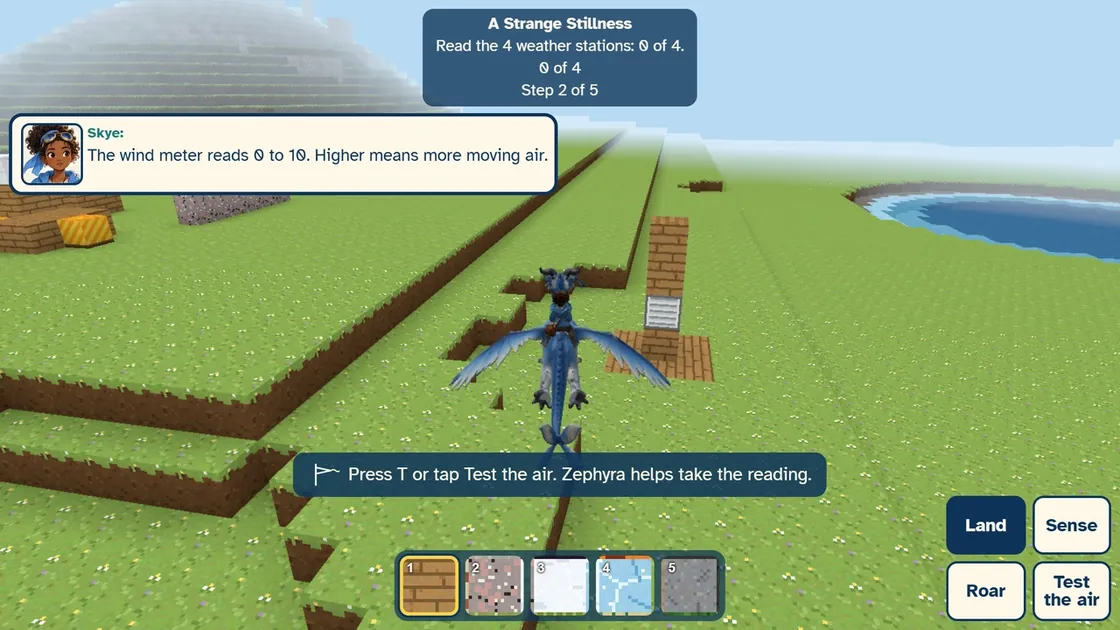
I can compare weather readings from 4 places with their usual values and say if a change is local or everywhere.

  • Measure first
  • One place or everywhere?
Read it in the bookBook 2, pages 7, 9
Pushes, Pulls, and the Glide TestNew in the October 2026 updateGrade 3 · about 8 min

I can compare glide trials that share the same time or the same distance, and use balanced and unbalanced forces to explain a change.

  • Balanced or unbalanced?
  • Find the change
Read it in the bookBook 2, pages 8, 12, 13
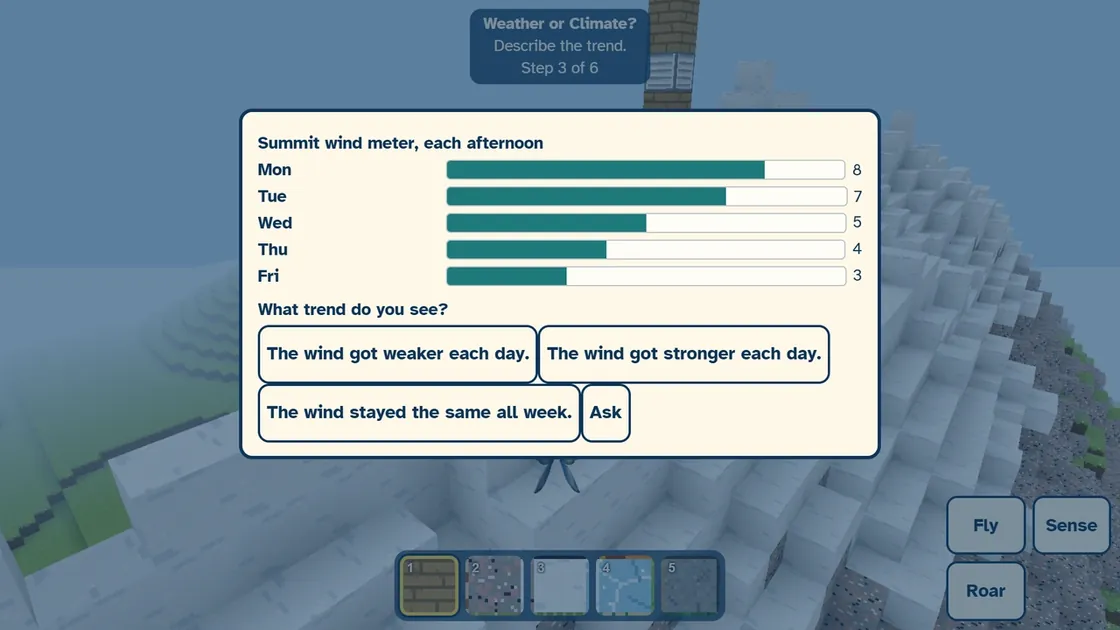
Weather or Climate?Grade 3 · about 6 min

I can describe the trend in a bar graph, find the biggest drop, and explain why one week is weather, not climate.

  • Read a bar graph
  • Weather or climate?
Read it in the bookBook 2, pages 10, 15
Catch the Wind: Pick the SiteNew in the October 2026 updateGrades 3–4 · about 8 min

I can explain how moving air can power a lamp, and pick a site that meets every goal, not just the strongest wind.

  • Energy from the wind
  • Best is not just biggest
Read it in the bookBook 2, pages 19, 23
Engineer a Wind MeterGrades 3–5 · about 8 min

I can plan a fair test, compare 3 designs against several goals, and explain why the best design meets every goal.

  • Goals and limits
  • A fair test
  • Best is not just biggest
Read it in the bookBook 2, pages 20–22
Ready for the WindNew in the October 2026 updateGrade 3 · about 9 min

I can use wind readings to make a claim that a shelter reduces a wind hazard.

  • Ready for the weather
  • Measure first
Read it in the bookBook 2, page 24
Sabotage at the Weather TowerGrades 3–4 · about 10 min

I can use 2 independent clues to find where the wind comes from, tell measured evidence from a claim, and find a 45° turn.

  • Where wind comes from
  • Turns in degrees
  • Claims need evidence
  • Check the fix
Read it in the bookBook 2, pages 11, 16–18, 25–27

Coralhaven 6 missions, 2 new

MissionThe STEM ideaIn the book
Compare the Reef ZonesGrade 3 · about 7 min

I can compare counts from 3 reef zones with last month's notes, find the biggest change, and say what the numbers do and don't prove.

  • Habitats and survival
  • Find the change
Read it in the bookBook 3, pages 7, 13, 17
Sort the Sea LifeNew in the October 2026 updateGrades 3–5 · about 7 min

I can sort sea animals into groups by their body parts.

  • Group by body parts
Read it in the bookBook 3, pages 8, 14
Who Eats What in the ReefNew in the October 2026 updateGrades 3–5 · about 7 min

I can put a reef food chain in order, from producer to top consumer.

  • Who eats what
Read it in the bookBook 3, page 9
Follow the Floating CluesGrades 3–5 · about 7 min

I can use litter counts and a float test to show where litter collects, and sort litter by what it did in water.

  • Float or sink?
  • Water carries things
Read it in the bookBook 3, pages 17, 18, 24
Test the Cleanup ToolsGrades 3–5 · about 8 min

I can compare 4 cleanup tools against 3 criteria, find how many more one collected, and build a floating barrier.

  • Goals and limits
  • Best is not just biggest
  • Read a bar graph
Read it in the bookBook 3, pages 20–23, 30
Sabotage at the Tide GateGrades 3–5 · about 10 min

I can clear a pollution source, explain why pushing trash out to sea is not a solution, and use before and after data to judge a cleanup.

  • Find the source
  • Fix the cause
  • Check the fix
Read it in the bookBook 3, pages 16, 25–28

The Greenwild 7 missions, 2 new

MissionThe STEM ideaIn the book
Four Curiosity SparksGrades 3–5 · about 5 min

I can record observations at 4 places and pick the observation that best explains the cloudy stream.

  • Water moves soil
  • I see, then I think
Read it in the bookBook 4, pages 12–14
Where Does Runoff Go?Grade 4 · about 8 min

I can compare clarity readings from 3 places to find where soil enters a stream and explain why the water clears downstream.

  • Water moves soil
Read it in the bookBook 4, pages 11, 14, 17
Count the Living CluesNew in the October 2026 updateGrade 3 · about 6 min

I can compare counts of living things at two places and say what they show.

  • Living things are clues
  • Habitats and survival
Read it in the bookBook 4, pages 9, 10
Dissolved, Cloudy, or Settled?New in the October 2026 updateGrades 4–5 · about 7 min

I can sort matter in water as dissolved, suspended or settled, and say what a filter can catch.

  • Dissolved, cloudy or settled
  • Too small to see
Read it in the bookBook 4, page 15
Build a Green BufferGrades 4–5 · about 10 min

I can plan a fair test, use its results to compare two solutions, and build a buffer strip.

  • A fair test
  • Plants hold soil
  • Read a bar graph
Read it in the bookBook 4, pages 20–24
The Thorny VinesGrades 3–4 · about 8 min

I can use counts from 3 plots to describe how vines spread, explain why covered trees struggle and judge whether pulling vines is a good solution.

  • Plants that take over
Read it in the bookBook 4, page 16
Sabotage at the Marsh BridgeGrades 4–5 · about 10 min

I can use samples above and below a bridge to find where pollution enters, and tell what we saw from what we think.

  • Find the source
  • Too small to see
  • I see, then I think
Read it in the bookBook 4, pages 17, 18, 25–29

Glitterdeep 6 missions, 2 new

MissionThe STEM ideaIn the book
Debug the Tangled SignalGrades 3–5 · about 7 min

I can sort the parts of a computing system and test a network one node at a time to find where a problem starts.

  • Parts of a computer system
  • Debug one part at a time
Read it in the bookBook 5, pages 10–12, 18
Sort the Sticky NotesNew in the October 2026 updateGrades 3–5 · about 6 min

I can sort claims into facts, guesses, opinions and unknowns.

  • Fact, guess or opinion?
Read it in the bookBook 5, page 8
Check a Suspicious MessageGrades 3–5 · about 8 min

I can follow a checking algorithm to decide if a message is real, choose a safe action, and sort messages by how trustworthy they are.

  • Check the source
  • Stay safe online
Read it in the bookBook 5, pages 13, 16, 17, 22
Test the Signal FilterGrades 3–5 · about 7 min

I can plan a fair test, find how many fewer alerts the filter allowed, and explain why a test that changes 2 things is not fair.

  • A fair test
  • Read a bar graph
  • Find the change
Read it in the bookBook 5, pages 22–24
Design a Kinder Tech SpaceNew in the October 2026 updateGrade 4 · about 9 min

I can name a design problem, compare 2 designs against goals, and build the better one.

  • Design for people
  • Goals and limits
Read it in the bookBook 5, pages 7, 15, 19
The Hidden NodeGrades 4–5 · about 9 min

I can trace copies back to their source, explain why copies are not extra evidence, and test again after a fix.

  • Copies are not more proof
  • Fix the cause
  • Check the fix
Read it in the bookBook 5, pages 20, 21, 25–28

Beacon Isle 6 missions, 6 new

MissionThe STEM ideaIn the book
Five Clues, One IslandNew in the October 2026 updateGrades 3–5 · about 7 min

I can look at several clues and decide if they point to one cause or many working together.

  • Many causes, one problem
Not out yetBook 6
A Map of ConnectionsNew in the October 2026 updateGrades 3–5 · about 6 min

I can put a system's parts in the order energy flows through them and predict what a break does.

  • Follow the energy
Not out yetBook 6
Two Clues at the WheelNew in the October 2026 updateGrade 3 · about 8 min

I can tell an observation from an explanation, choose the plan that protects the whole system, and know when one fix is not the whole answer.

  • I see, then I think
  • Fix the cause
  • Check the fix
Not out yetBook 6
The Hidden WedgeNew in the October 2026 updateGrades 3–5 · about 9 min

I can predict what an open switch does to a lamp, read a 3-trial fair test to decide what conducts electricity, and explain why two separate faults both kept the beacon dark.

  • A complete path
  • A fair test
Not out yetBook 6
A Message You Can TrustNew in the October 2026 updateGrades 3–5 · about 9 min

I can test a whole system, read trial totals to compare 3 methods, and follow an ordered checking procedure.

  • Results, not promises
  • Steps in order
Not out yetBook 6
The Dragonkeepers UniteNew in the October 2026 updateGrades 3–5 · about 10 min

I can explain why a team with different kinds of expertise found more than one person could, retest a repaired model, and say what 'the whole system working' means.

  • Test it again
  • A whole working system
Not out yetBook 6

Back to the list of sections

Your Dragon Notebook

Press N to open it. The notebook keeps everything you earn, and you can look at it any time.
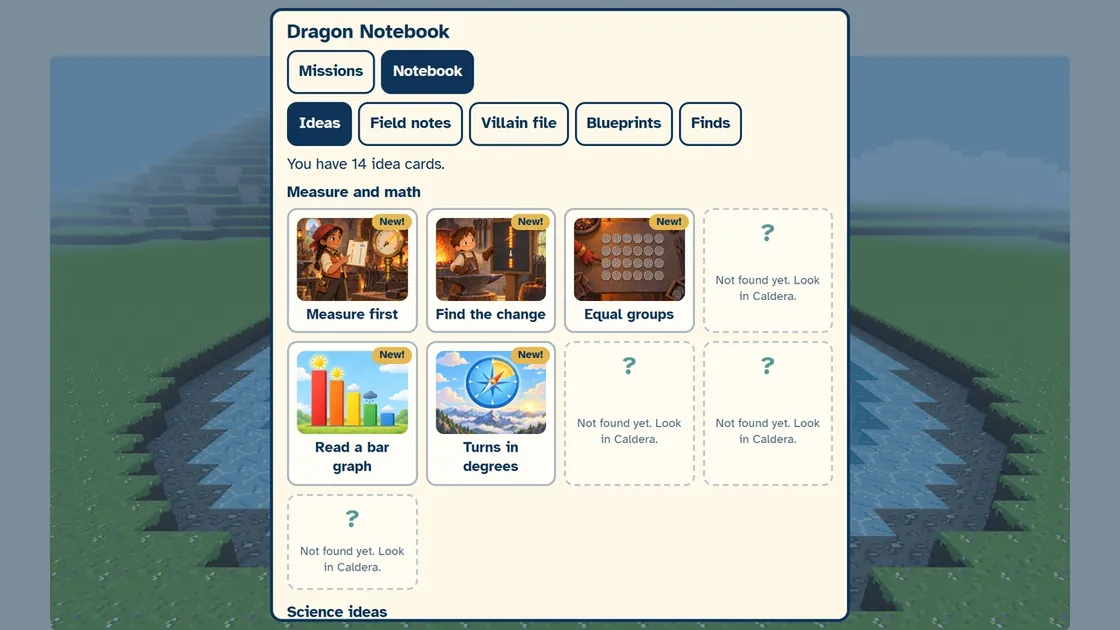
The Dragon Notebook on its Ideas tab. Picture cards such as Measure first, Find the change and Equal groups have New ribbons. Other tabs are Field notes, Villain file, Blueprints and Finds.
The Dragon Notebook keeps one idea card for every STEM idea you meet.

A real idea card

This card comes from the first mission in the Caldera.
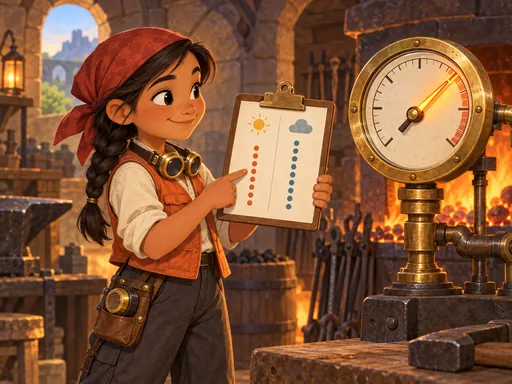
Maya's clipboard with 2 columns (yesterday, today) beside a big round gauge in the forge.
Idea card

Measure first

A guess is an idea. A measurement is evidence.

Kairo and Maya read the gauges before they acted.

Then they compared today with yesterday.

Science word: Data: facts and numbers we collect to answer a question.

Can you remember? An oven was 350 °C. Now it is 290 °C. How much cooler is it?

Show the answer: 60 °C cooler. 350 − 290 = 60.

A few curiosity finds

Every map hides real science facts at special places. Here is one from each region.

CalderaNature's glass

Obsidian is glass made by a volcano. Lava cooled before crystals had time to grow.

SkyreachGap wind

Wind squeezes through a gap in the mountains. It often blows harder there.

CoralhavenSeagrass

Seagrass is a flowering plant, not seaweed. Young fish hide in it.

The GreenwildBusy soil

A spoonful of soil can hold billions of living things. You need a microscope to see most of them.

GlitterdeepLight messages

Light can travel through thin glass threads. Those threads carry internet messages.

Beacon IsleFog

Fog is a cloud that touches the ground. It forms when damp air cools.

Back to the list of sections

How to play

Use a keyboard and mouse, or touch. The game also shows its keys on the screen: press L to show or hide them.
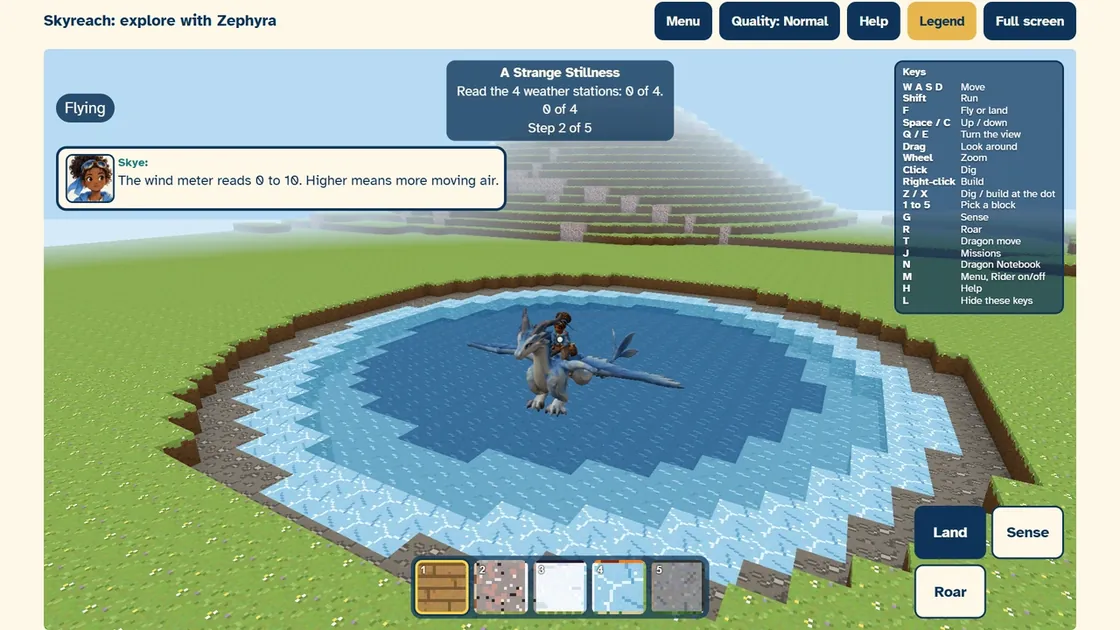
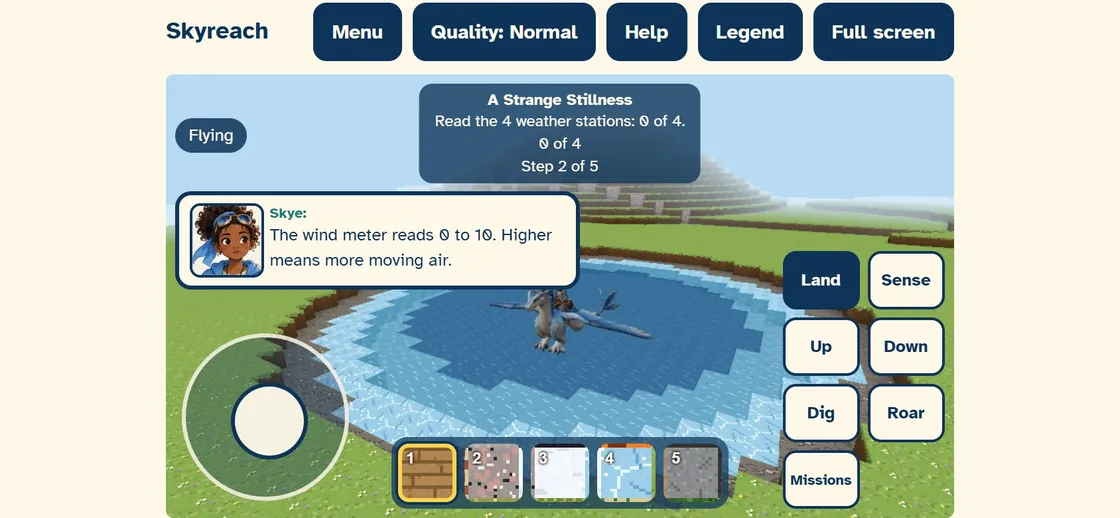
The game in a computer browser. Buttons across the top say Menu, Quality, Help, Legend and Full screen. Below are a goal card, Skye's speech, a list of keys, a bar of five blocks, and Land, Sense and Roar buttons.
On a computer: keyboard and mouse. A key list is on screen, and you can hide it.

Your first minutes

  1. Press Play. Wait a few seconds while the map grows.
  2. Click the game once, so it can see your keys.
  3. Press J to open Missions. Pick one and choose Go to this mission.
  4. Follow the glowing markers. Press G (Sense) if you are not sure where to go.
  5. Press M for the Menu. You can save, load or travel to another region. You can also turn your rider or your friend on or off.
  6. A little friend, Squishy Dumpling, may pop up next to your dragon. Press P to pet it, or click it. On a touch screen, tap Pet or tap the friend.

The keys to know first

  • W A S D or arrowsMove
  • FTake off or land
  • PPet a friend that is close
  • JOpen Missions, your mission journal
  • NOpen the Dragon Notebook
  • M or EscOpen or close the Menu
  • HHelp
  • LShow or hide the key list

All the controls

These are the same controls you find in the game's Menu, under Controls.

Keyboard

KeyWhat it does
W A S D or arrowsMove
ShiftRun while moving
FTake off or land
SpaceGo up. On the ground, take off.
CGo down. Touch the ground to land.
Q and ETurn the view
+ and -Zoom in and out
ZDig at the dot
XBuild at the dot
1 to 5Pick a block (or an answer in a mission panel)
GSense the ground
RRoar
PPet a friend that is close
TPlay your dragon's move at a measuring spot
JOpen Missions
NOpen the Dragon Notebook
EnterNext line in a conversation
HHelp (or Ask for a hint in a panel)
M or EscOpen or close the menu
LShow or hide the key legend
VSound: mute and unmute

Mouse

MouseWhat it does
ClickDig the block you point at
Right-clickBuild on the block you point at
DragLook around
WheelZoom in and out

Touch

ControlWhat it does
Round padMove. Push it far to run.
DragLook around
PinchZoom in and out
TapDig or build
Dig / BuildSwitch what a tap does
Fly, Up, DownFly, rise and sink
SenseSense the ground
RoarRoar
MissionsOpen your missions
PetPet a friend that is close
MenuSave, load, travel and more
NotebookOpen from the Menu, or the Missions tab

Back to the list of sections

Saving your world

Your game is saved on your own device. There are three ways to keep it safe.
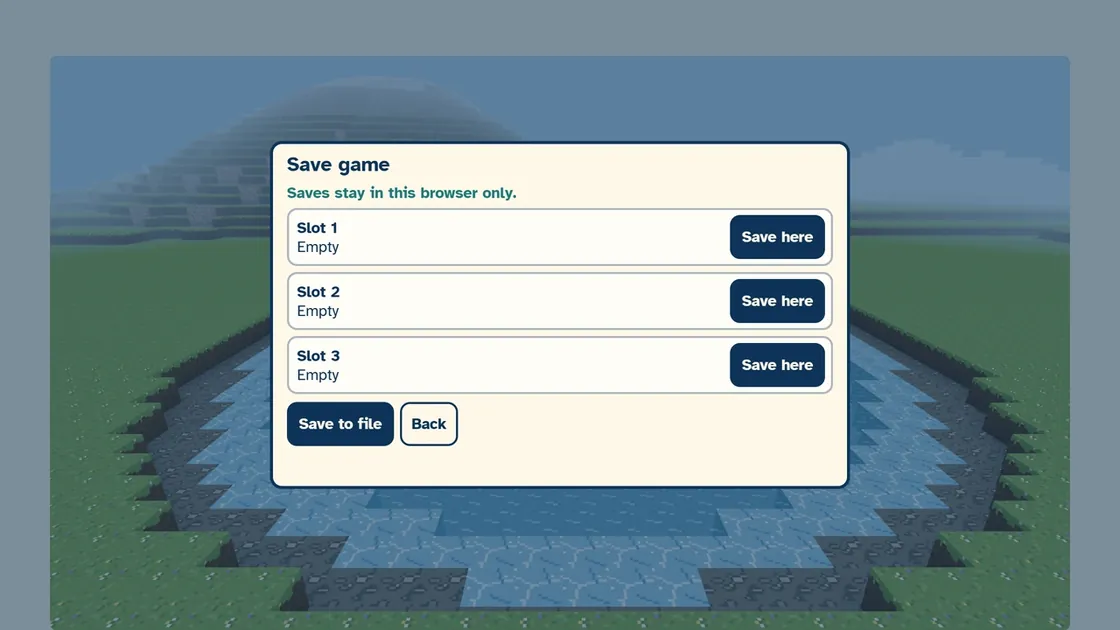
The Save game screen has three save slots, each with a Save here button, plus Save to file and Back. A line says saves stay in this browser only.
Save in three slots, or save to a file. The game also saves by itself.

Autosave

The game saves by itself while you play, a few seconds after you dig or build. It keeps your latest autosave and the one before it. Both show up in Load game.

3 save slots

Open the Menu and choose Save game. Give your save a name (up to 40 letters) and pick a slot. Choose Load game to come back to it later.

Save to file, Load from file

Save to file makes a file you can keep. Use it to keep a copy of a big build, or to move your world to another computer. Load from file opens it again. The file name starts with openmap_save_.

Where saves live

Saves stay in this browser, on this device. They are not sent anywhere. If you clear your browser's data, or play in a private window, saves can disappear. A file you saved stays safe where you put it.

Tip: before a big build, or before you clear your browser, use Save to file.

Back to the list of sections

Devices and browsers

The Open Map runs in your web browser and uses WebGL 2. Current versions of Chrome, Edge, Safari and Firefox have it.
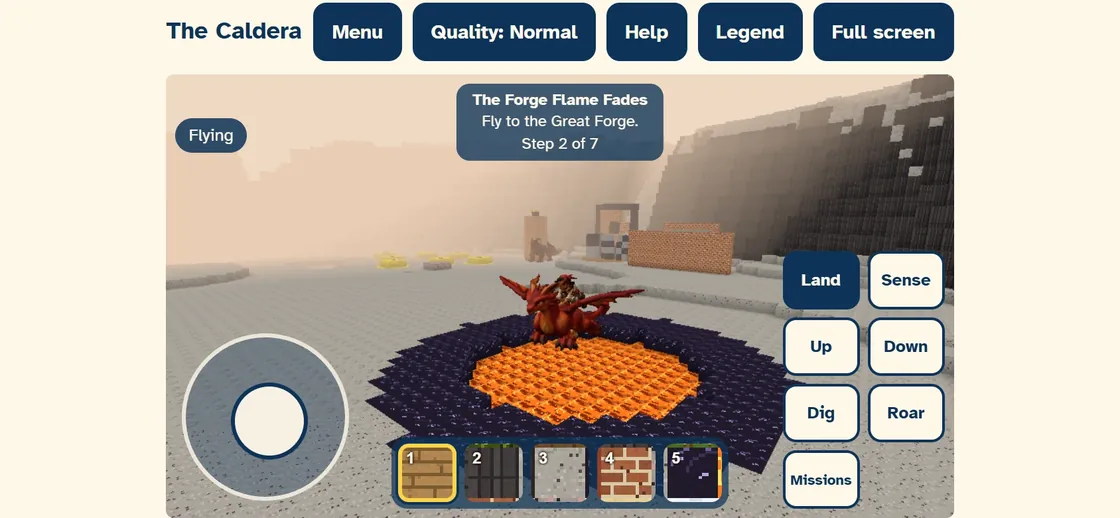
The game on a phone held sideways, 844 by 390 pixels. A round stick is on the left for moving. Buttons on the right say Land, Sense, Up, Down, Dig, Roar and Missions. A bar of five blocks is at the bottom.
On a phone or tablet: a stick to move and big buttons for the rest.

Computer

Best choice

A Windows or Mac computer with a keyboard and mouse. Chrome and Edge got the most testing.

Chromebook

Tested on a stand-in

Chrome runs it. We tested a simulated school Chromebook, with a slower processor and a slow internet link. We have not tried a real one yet.

iPad and tablets

Touch controls built in

A round pad moves you, a drag looks around, a pinch zooms, and a tap digs or builds. Hold the tablet sideways, so the game screen is bigger. We have tried tablet-size screens in tests, but not yet a real iPad or Safari.

Phone

Possible, but small

The text is small and the number boxes open the on-screen keyboard. Hold the phone sideways. A tablet or a computer is better for now.

Browsers: Chrome and Edge got the testing. Safari and Firefox have not been checked yet, so they may have rough edges.

Starting up

The first time, the game downloads about 12 MB. On a fast computer it is ready in about 4 seconds. In our school-laptop test, with a slow internet link, it took about 20 seconds. The browser keeps the files, so later visits are quicker. More dragons and pictures load only when they are needed.

If it feels slow

Open the Menu and choose Quality. Adjust by itself lowers the detail when the computer needs it, and Low is for older computers. If the game slows down after a very long session, save, then reload the page. There is also a Full screen button above the game.

Back to the list of sections

What is new in the October 2026 update

Here is what changed in the October 2026 update.

A sixth region: Beacon Isle

6 missions on a river island, where all five hero teams work together. You choose which hero flies each mission. The last mission brings Nullwyrm and The Dull King.

17 new missions

11 new missions in the first five regions and 6 on Beacon Isle, so there are 38 in all. Each is built from pages of the books.

The Dragon Notebook

Press N. It keeps 51 idea cards, your notebook pages, 38 blueprints, 34 curiosity finds and a villain file.

Read it in the book

Each mission from Books 1 to 5 links to its own book pages. They show the big idea and an activity to try at home.

Dragon moves

At measuring spots, press T. Your dragon does its own move before the reading appears. Kairo measures, Zephyra tests the air, Marina looks closely, Terra feels the ground and Lumen sorts the data.

Our next question

Every notebook page ends with questions to keep wondering about. There is no wrong one to pick.

Easier to use

Keyboard and screen-reader fixes, clearer text and buttons you can reach with Tab.

A friend: Squishy Dumpling

A little friend pops up next to your dragon. Press P to pet it, or tap Pet on a touch screen. Turn it on or off in the Menu, under Friends.

What did not change

  • Saves come first: saves from earlier versions still load, and earned badges stay earned.
  • No timers, no scores, no stars, no streaks, no rankings.
  • Dragons never magically know the answer. You work it out from the evidence.

Back to the list of sections

How it is made

Unity 6.3, in your browser

The game is made with Unity and runs in your web browser through WebGL. There is nothing to install.

A voxel world

Every region is a map of blocks, like building bricks. Game makers call them voxels. A region is 256 blocks wide, 256 blocks long and 64 blocks high. You can dig the blocks and build with them.

3D dragons from the books

Each dragon was drawn from its character sheet in the books. Then it was built as a 3D model with moves: idle, walk, run, fly, investigate and roar, plus its own signature move.

Missions from the pages

The missions are written from pages of the books, then checked for STEM accuracy and for reading level.

Dragon STEM · The Dragonkeepers of Aethera is an original illustrated K-12 STEM book series by Adisak Sukul. The Open Map is part of its game project.

Back to the list of sections

More from Dragon STEM Games